Print a Settlement Report
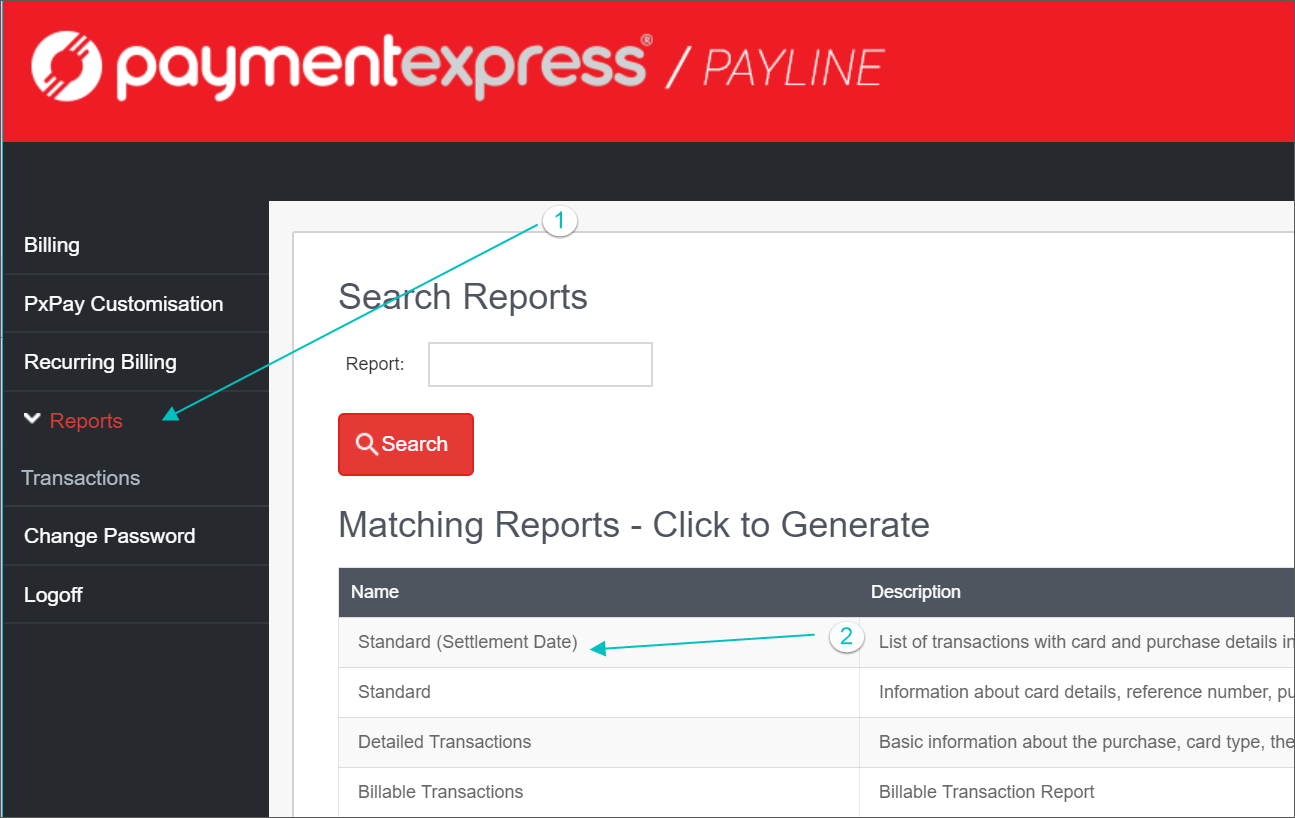
- Log into Payment Express Online and select Reports
- Select Standard (Settlement Date)
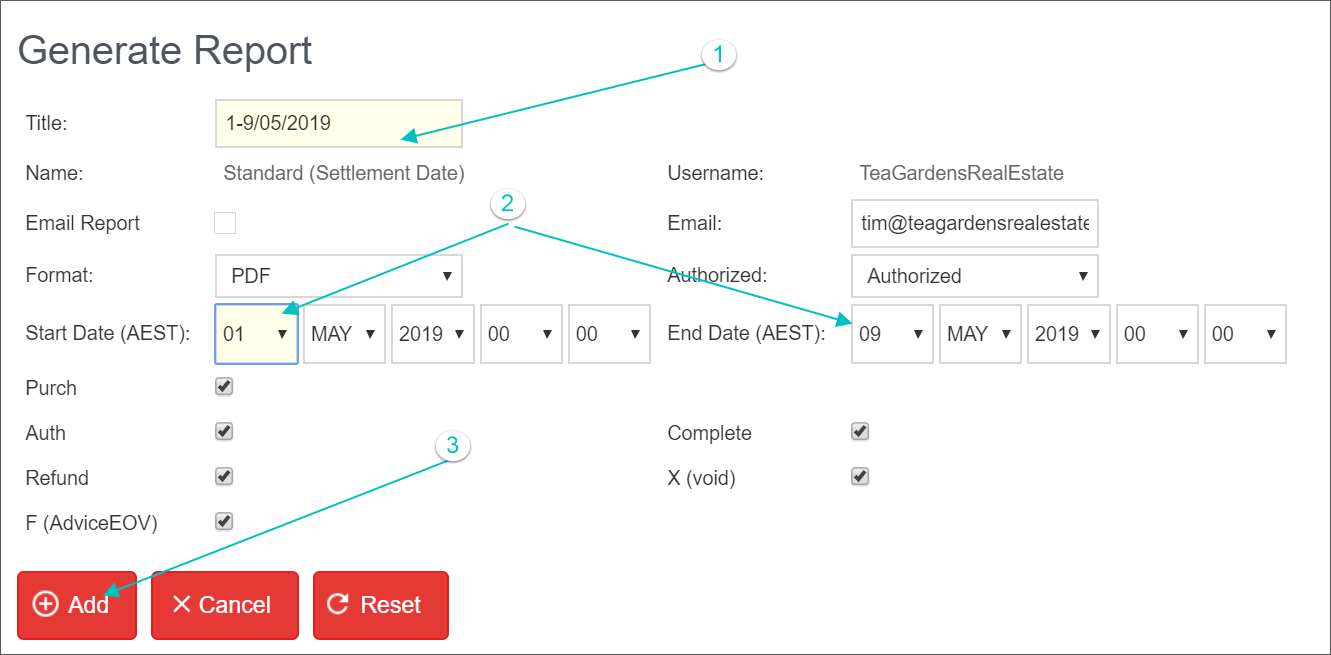
- Name the Report
- Select the Date Range
- Select ADD
- The Report is now Pending at the bottom of the screen
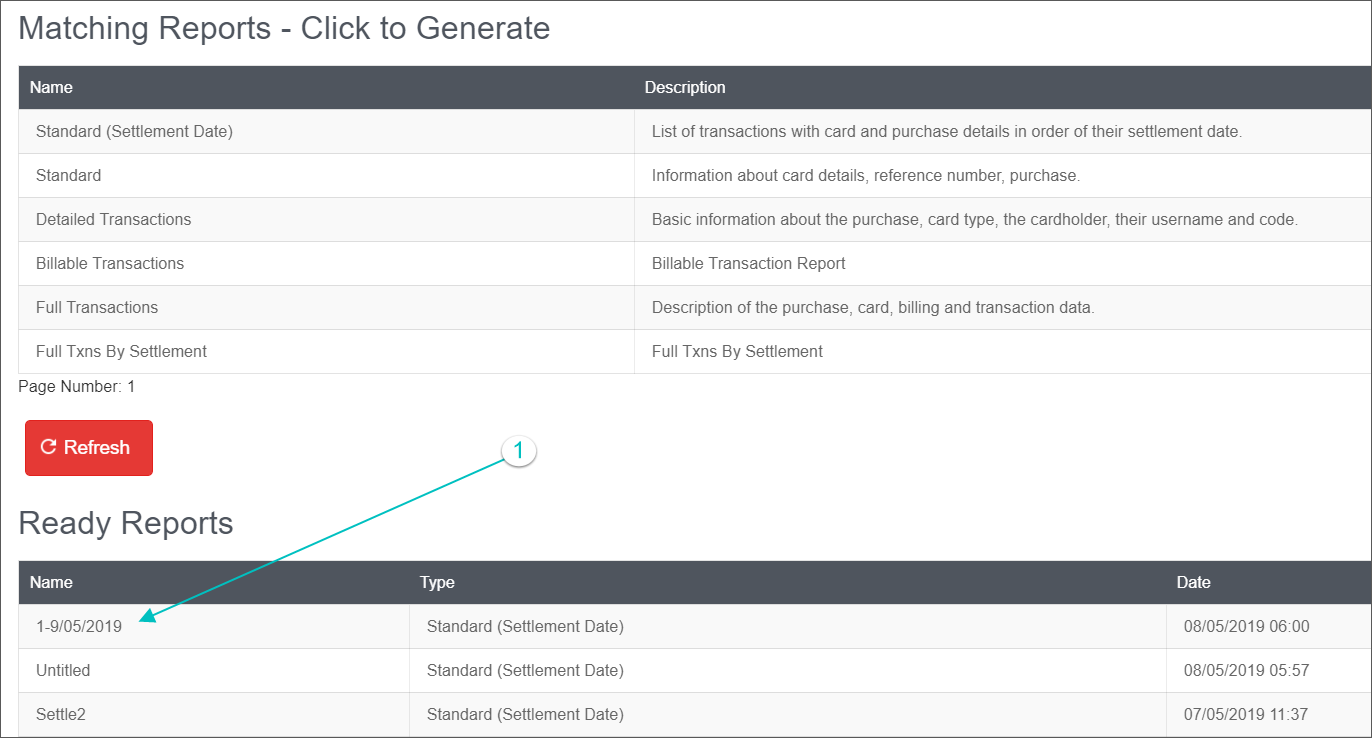
- Select Refresh
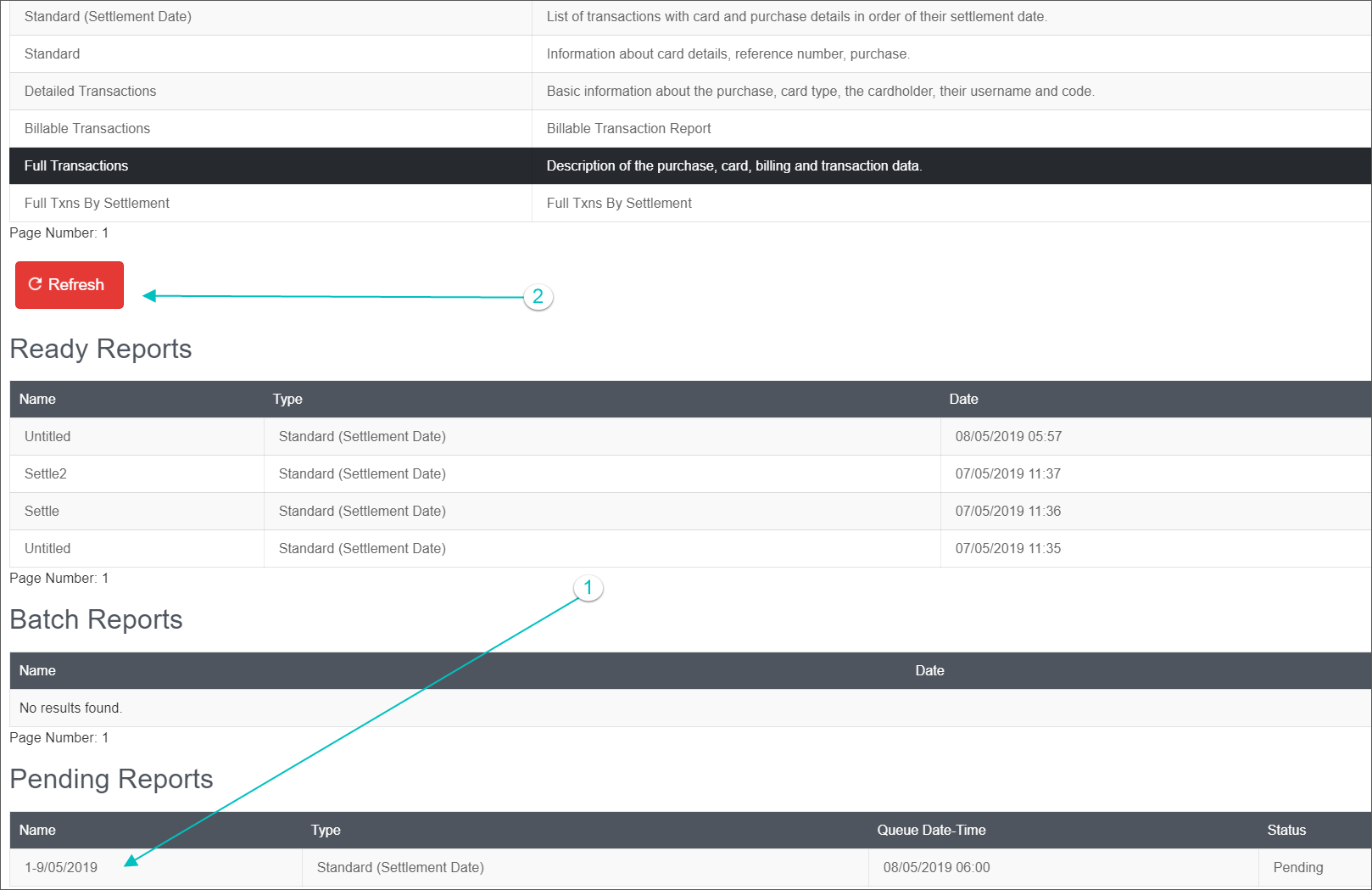
- The report moves to the Ready Section
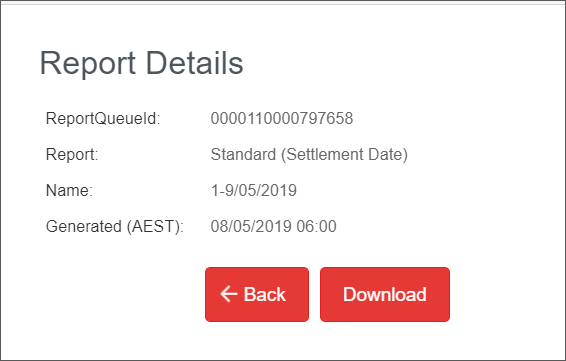
Select Download
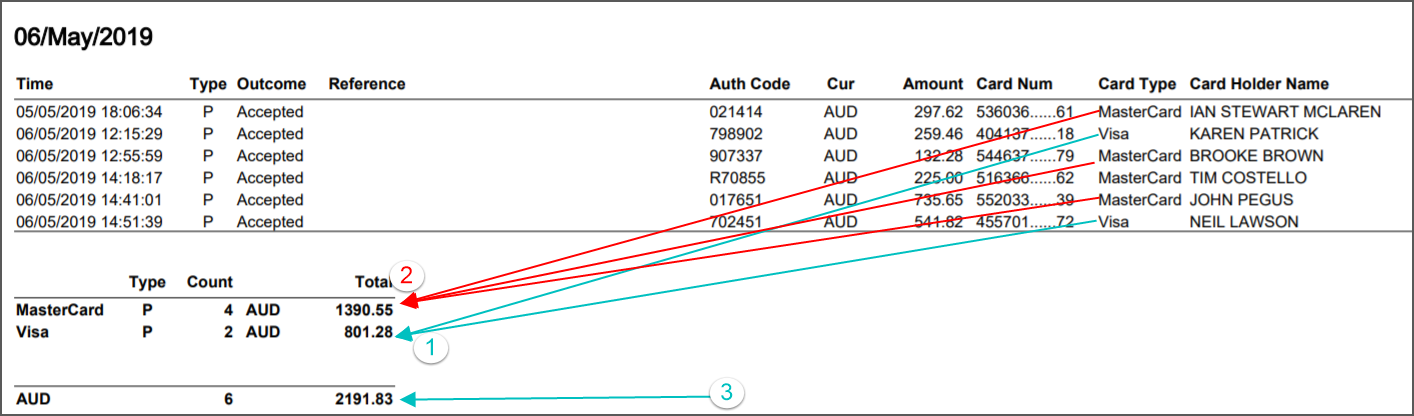
- The Report is split into settlement amounts by credit card type
- Visa Card Payments totalling $801.28
- Mastercard Payments totalling $1390.55
- Total settlement on the bank statement $2191.83
Transaction Report
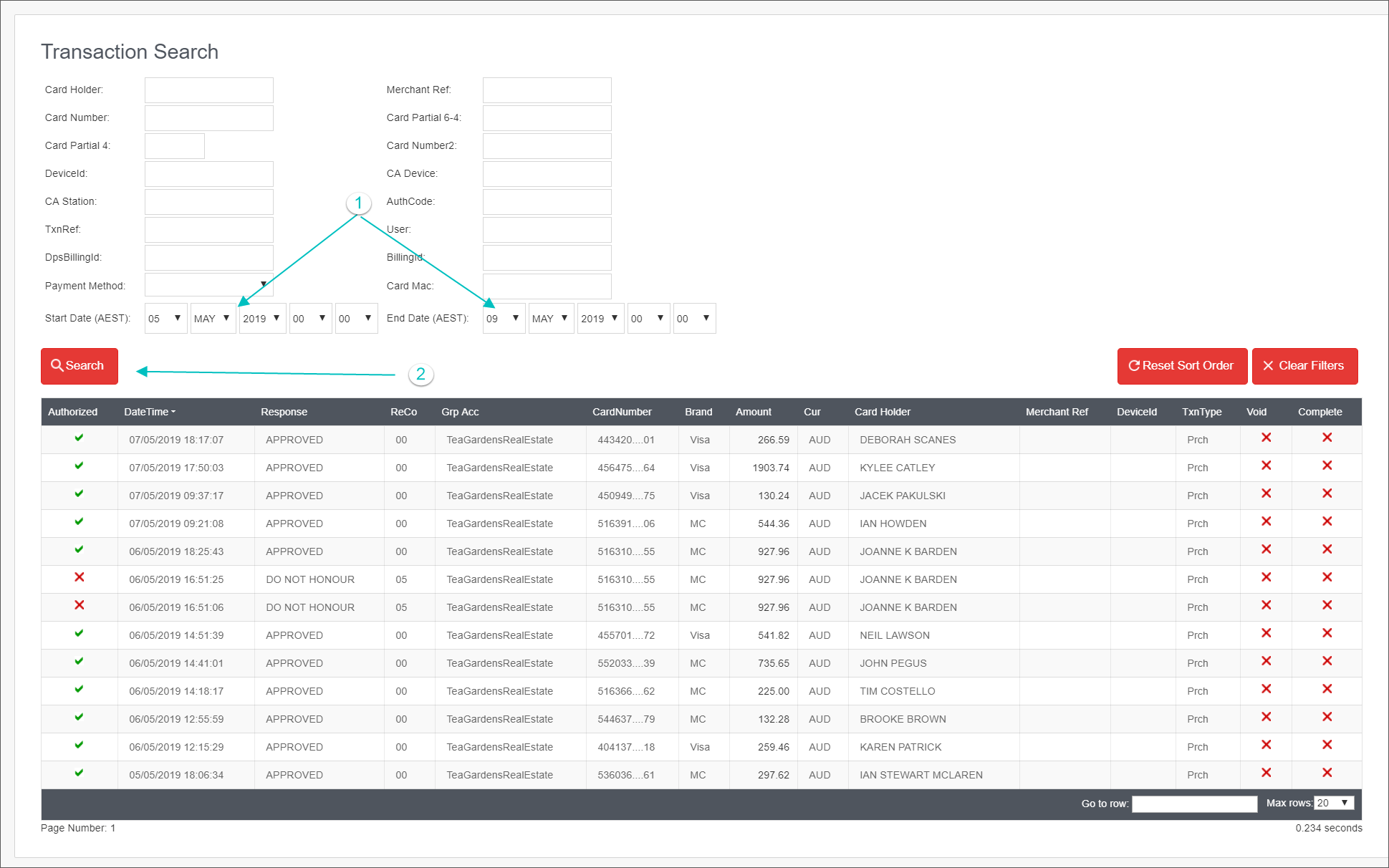
- Log into Payment Express and select Transaction Search + Date Range
- Select Search