
To add an ad-hoc cleaning task go to:
1. Click Maintenance from the HOMhero sidebar
2. Select Add Job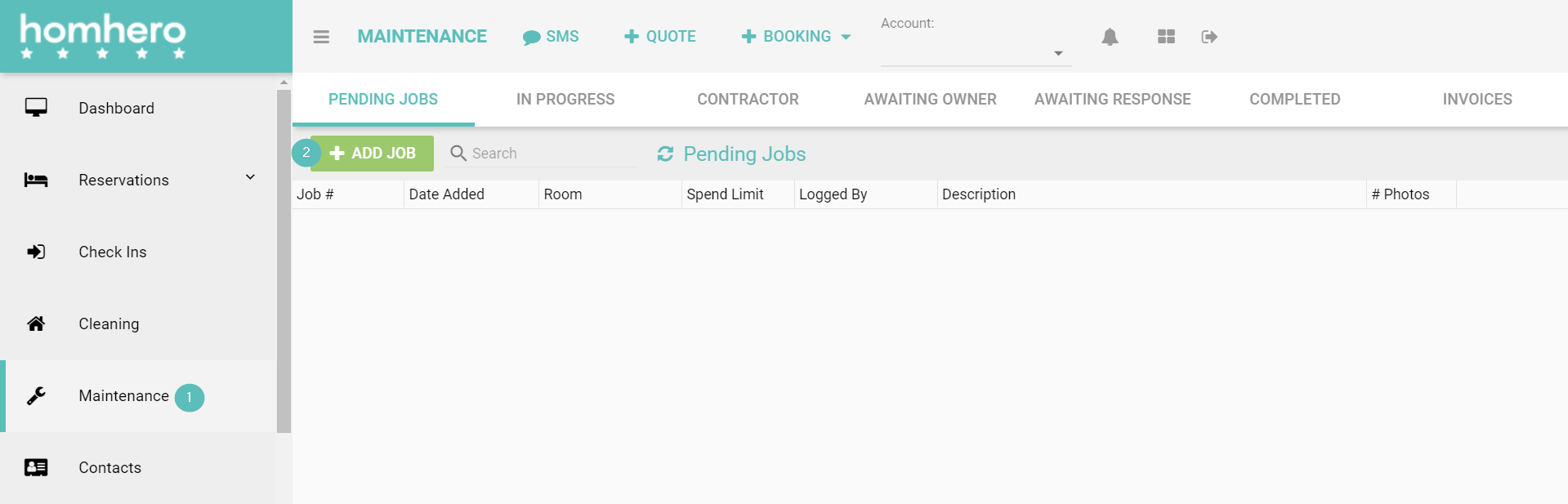
3. Ensure the Status is pending
4.Use the drop-down arrow to select the Area that belongs to this ad-hoc cleaning task
5. Use the drop-down arrow to select the Cleaner related to this task
6. Enter information relation to the ad-hoc cleaning task in the Notes section
7. Click Save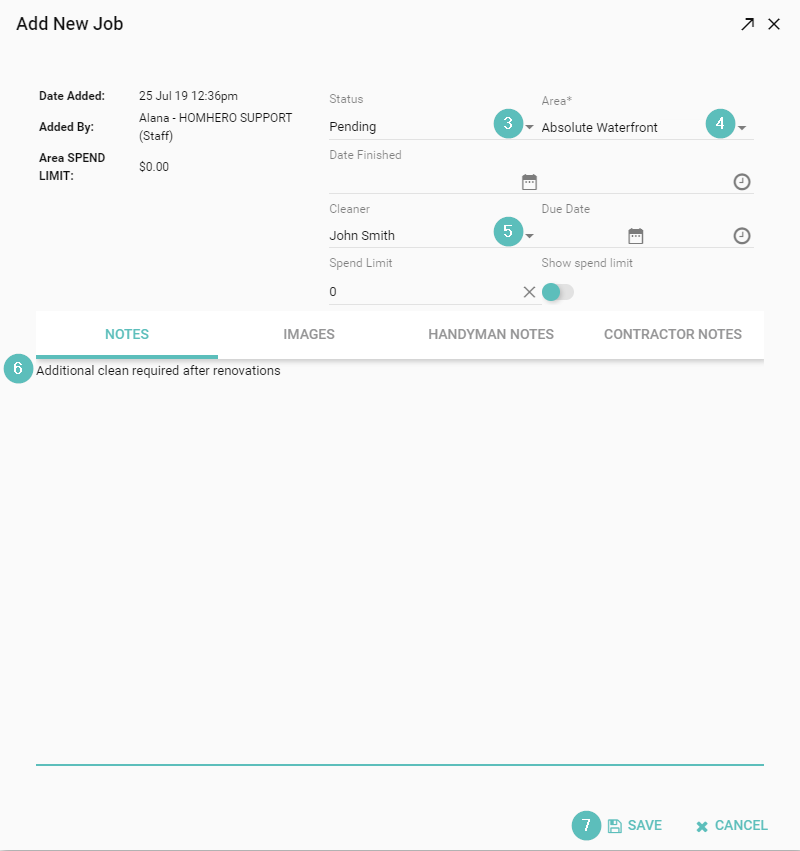
The ad-hoc cleaning task will appear on the cleaner's app when they login.