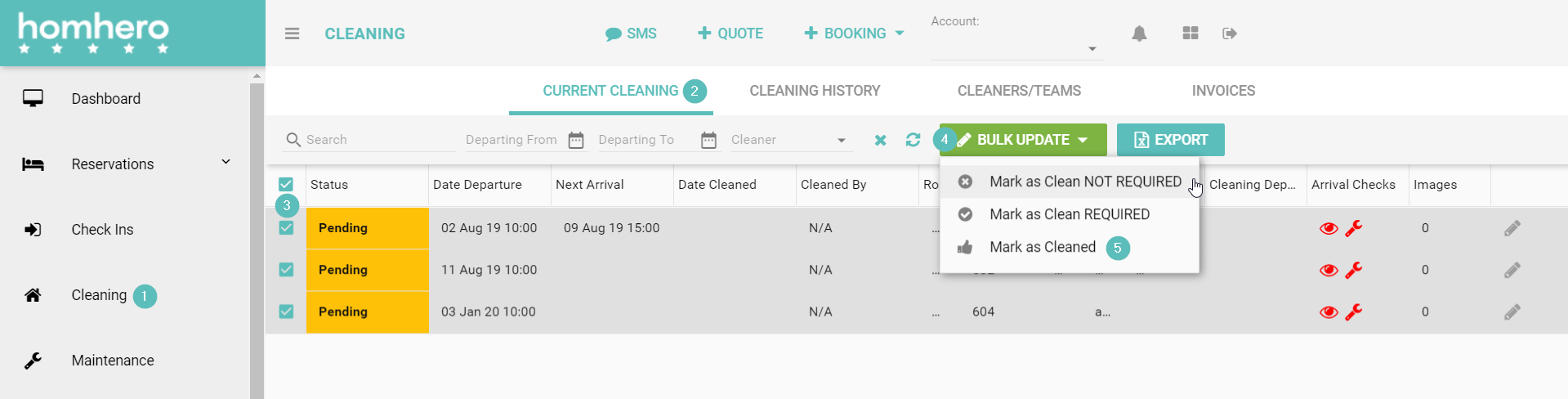
Inside HOMhero you're able to mark a cleaning task as cleaned, required and not required.
1. Click Cleaning from the HOMhero sidebar
2. Select the Current Cleaning tab
3. Tick the boxes next to the clean or cleans you're wanting to update
4. Click the Bulk Update button
5. Click either Mark as Clean not required, Mark as Clean required or Mark as cleaned