This article will teach you how to upload your owner files. This will give the owners the ability to see their statements and invoices directly inside their owner portal.
1. Click Contacts from the HOMhero sidebar
2. Click Owners tab
3. Double click on an owner
4. Click Files tab
5. Click Add Files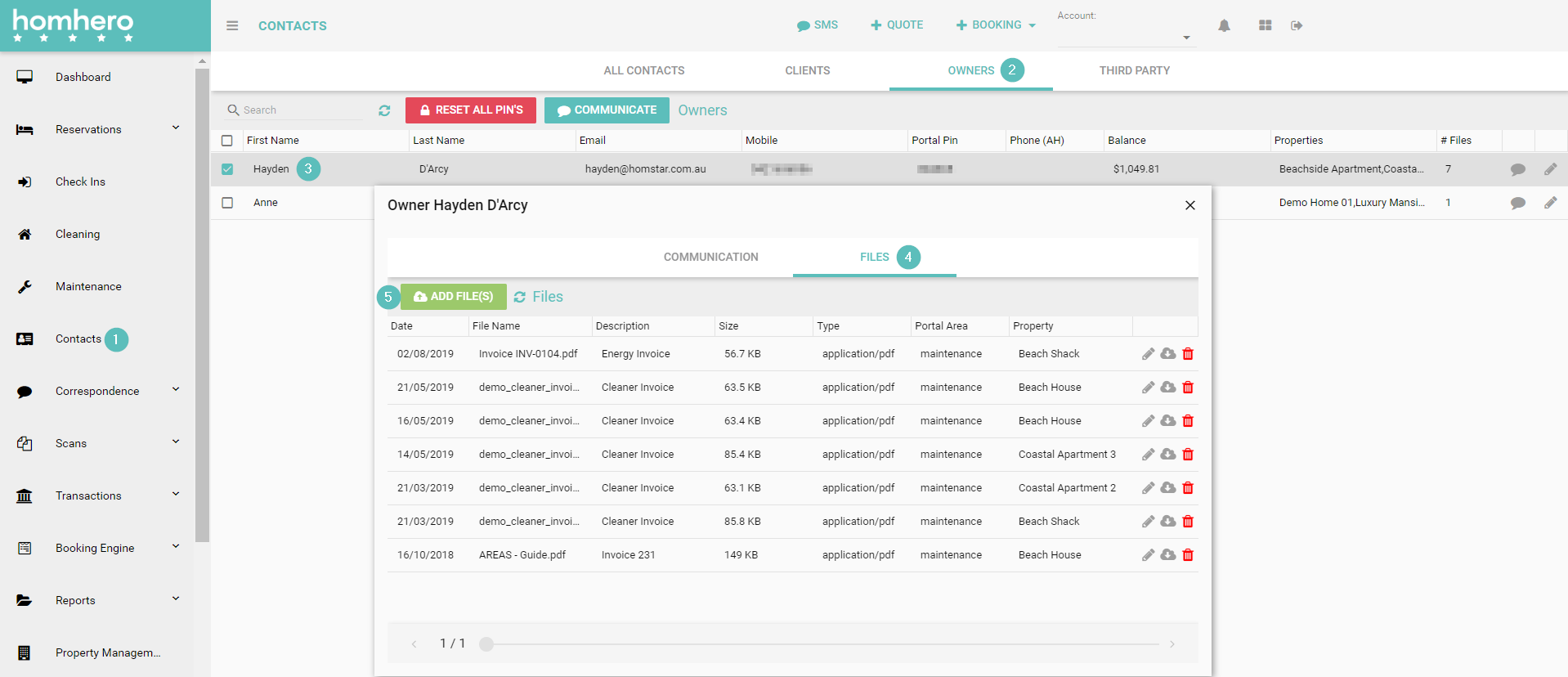
6. Select your file from your computer
7. Click Open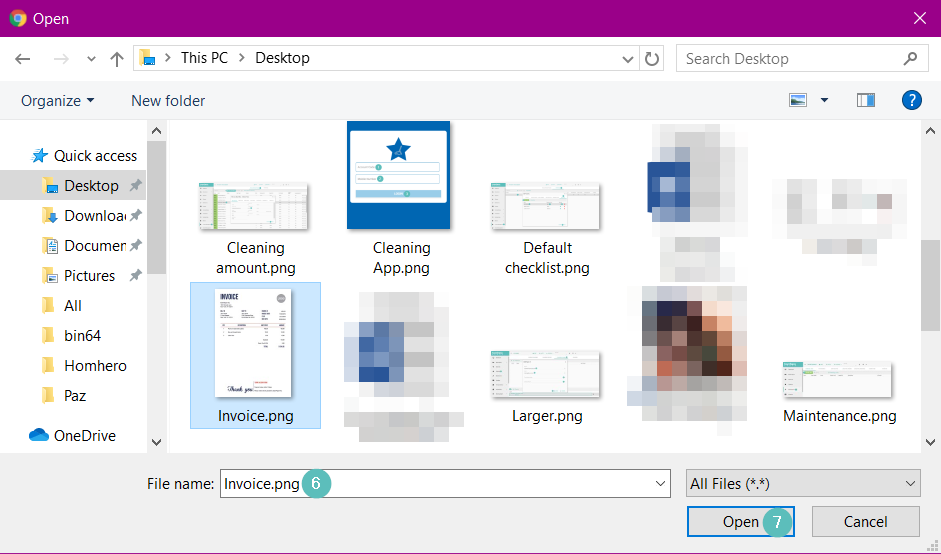
8. Click the refresh icon 
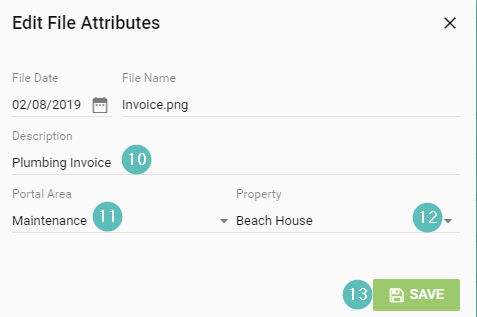
9. The file you added will appear and will have a blank description, we want to edit this. Double click on the file
10. Enter a Description of the file
11. Click the drop-down arrow and select which Portal Area the file should sit under. You would select Statement if the file is an owner statement and you would select Maintenance if the file is an invoice. If you don't want the file to be visible in the owner portal you would select N/A.
12. Click the drop-down and select the Property
13. Click Save