1. Click the (+) Create > Guest Booking button at the top of your Homhero screen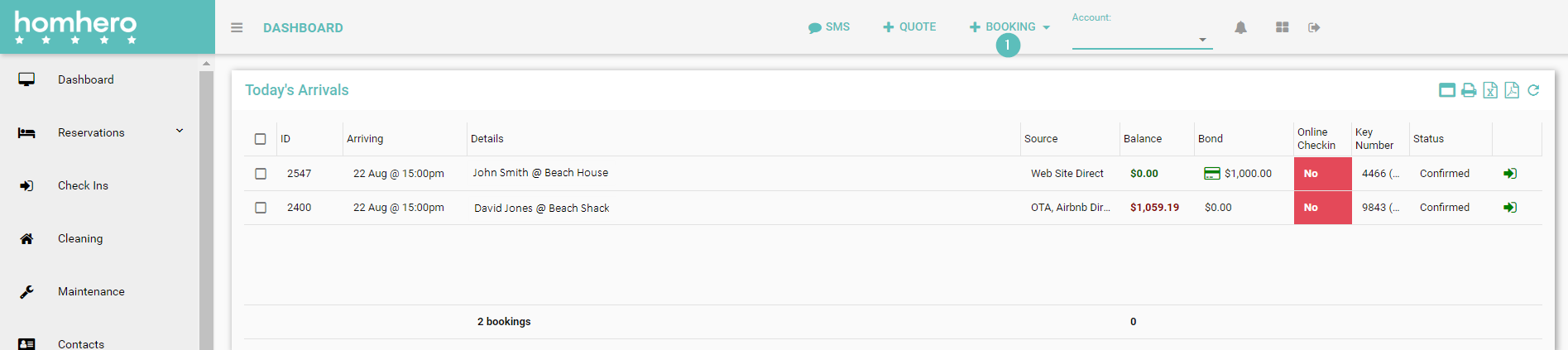
2. Select Guest Booking
3. Select a Listing
4. Click the calendar icon to select the Check in date
5. Click the calendar icon to select the Check out date
6. Enter the number of Adults
7. Enter the number of Children
8. Enter the number of Infants
9. Enter the number of Pets
10. Click the drop-down arrow to select a Promo Code if required
11. Click the Base Tariff amount to change if required
12. If the guest has stayed before use the Search Contacts field to find their details
or
13. Enter the guests First Name
14. Enter the guests Last Name
15. Enter the guests Email
16. Enter the guests Mobile
17. Enter the guests Address
18. Enter the guests Suburb
19. Enter the guests State
20. Enter the guests Postcode
21. Click the drop-down arrow to select the guests Country
22. Click the drop-down arrow to select the Payment Method
23. Click the drop-down arrow to select the Booking Source
24. Enter the name of the credit card provided
25. Click the drop-down arrow to select the Card Type
26. Enter the Card Numbers
27. Enter the credit card Expiry
28. Enter the credit card CCV
29. Click the toggle to turn off Email Booking Receipt if required, this will default to on
30. Click the Packages tab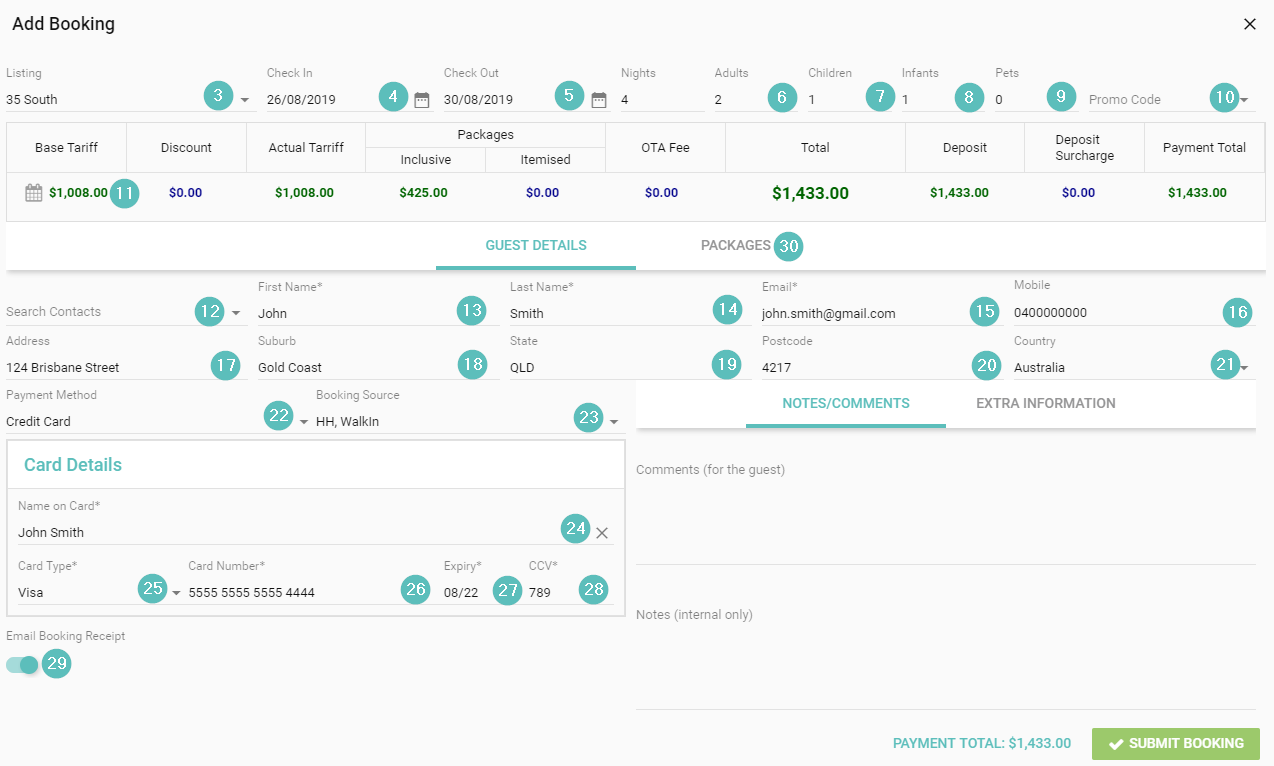
31. Ensure all the correct packages are displaying
32. Click Submit Booking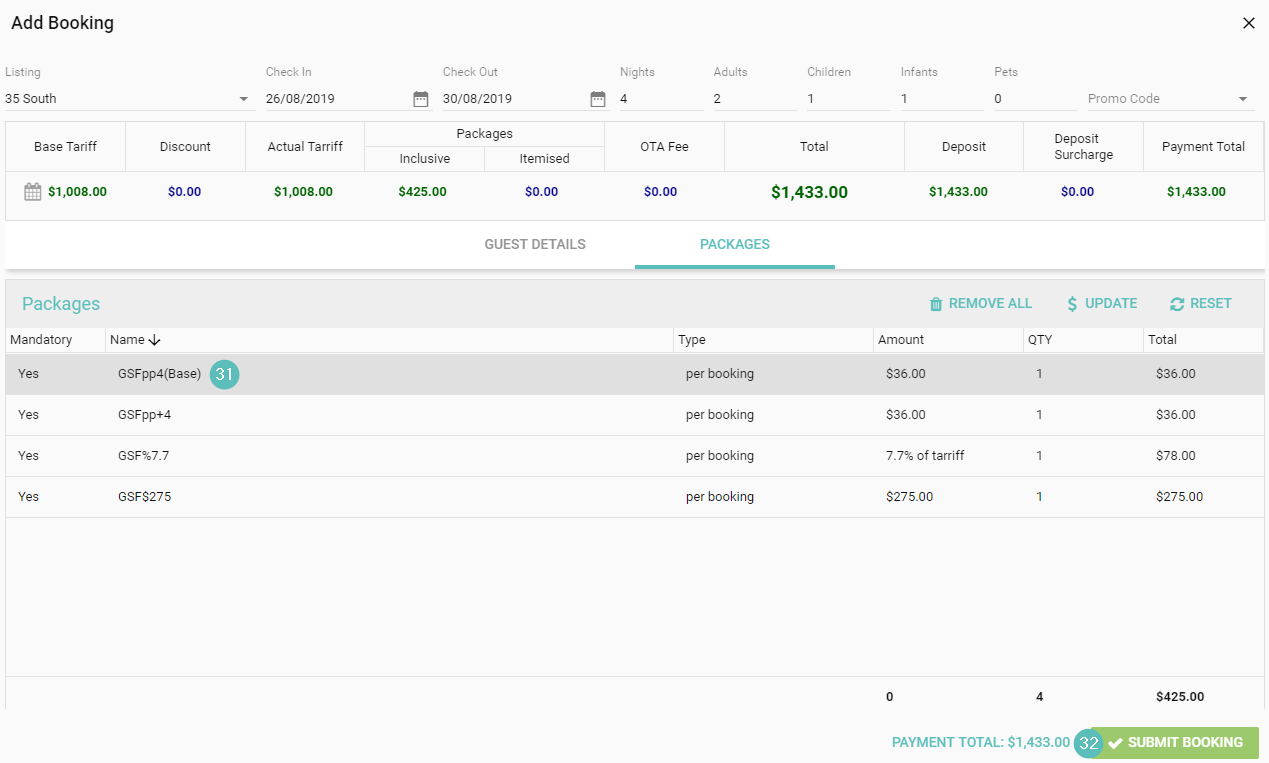
How to add a Guest Booking

Alana
- Updated