1. Click Reservations from the side bar and click List
2. Double click on the reservation you're wanting to send correspondence to

3. Click the Correspondence Tab
4. Click Send Message button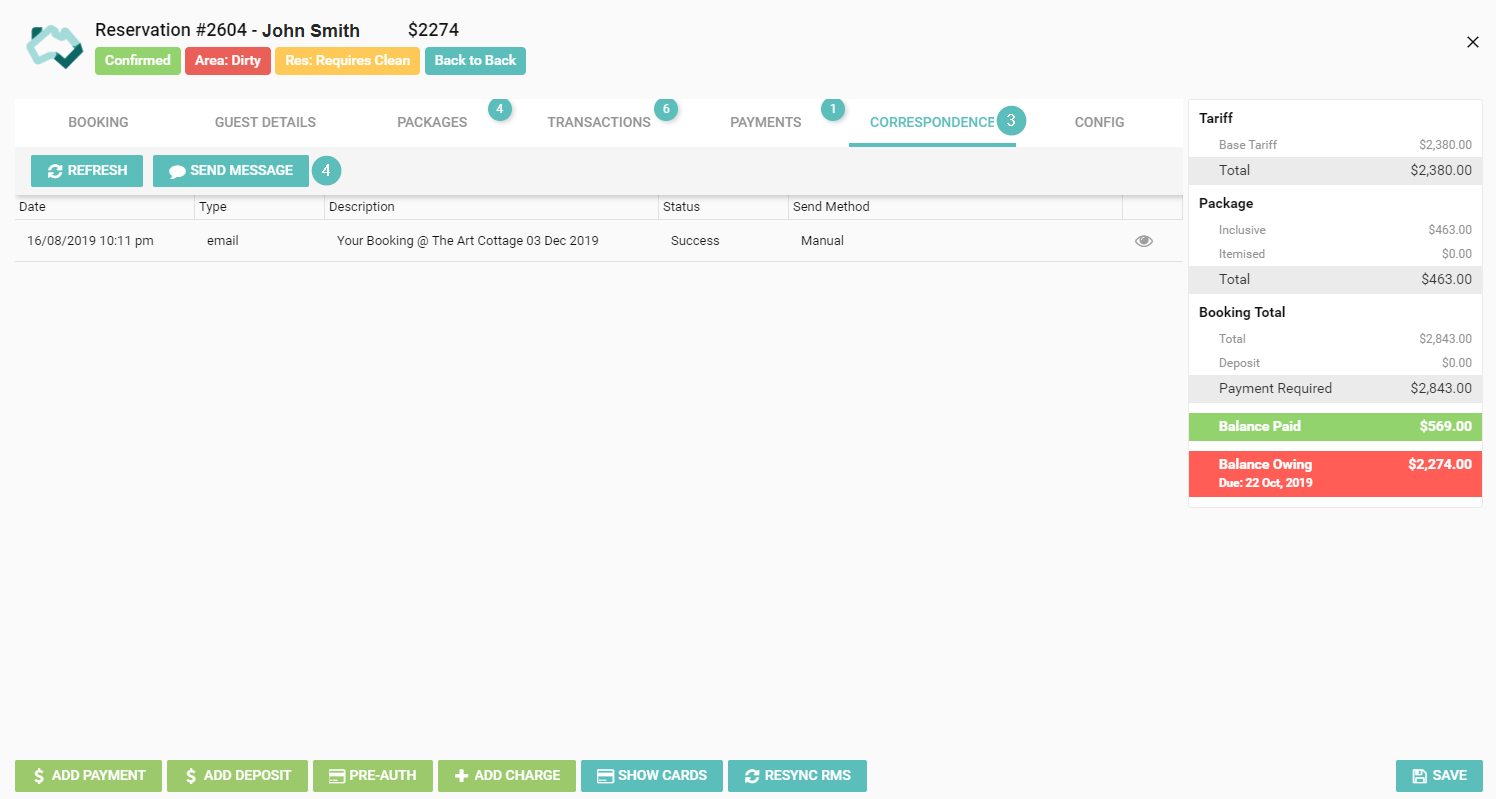
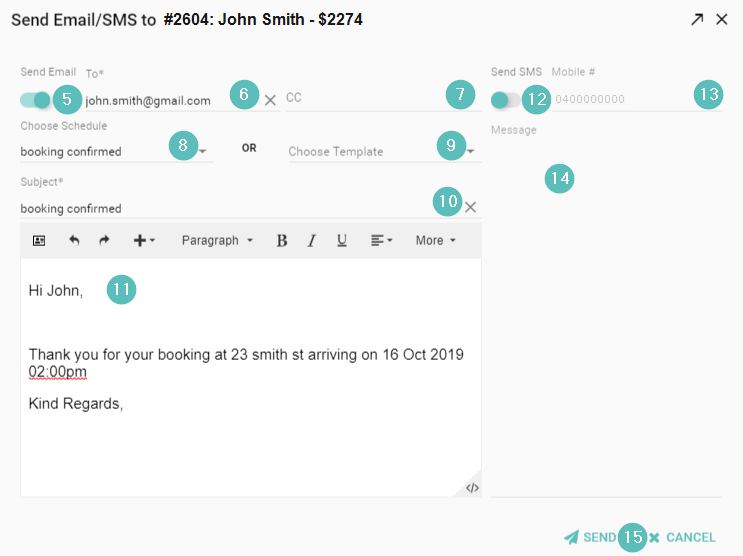
5. Click the toggle Send Email to send an email to the guest
6. The guests email address will prefill into the To field, change if needed
7. If the guest wants another email address cc'd into the email enter this here
8. Click the drop-down to Choose a Schedule
or
9. Click the drop-down to Choose a Template
10. The Subject line of the email is prefilled from the schedule or template, or if you're not using either type the subject here
11. In the white box is the text of the email, type the text in here if you're not using a schedule or template
12. Click the toggle to Send SMS to send an SMS to the guest
13. The guest's mobile number will prefill into the Mobile # field, change if needed
14. In the grey box is the text of the SMS, type the text in here
15. Click Send