1. Login to your owner portal and click Make a Booking
2. Click Arrival and use the calendar to select your arrival date
3. Click Departure and use the calendar to select your departure date
4. Number of Nights
5. Enter number of Adults
6. Enter number of Children
7. Enter any Comments
8. Click Book Now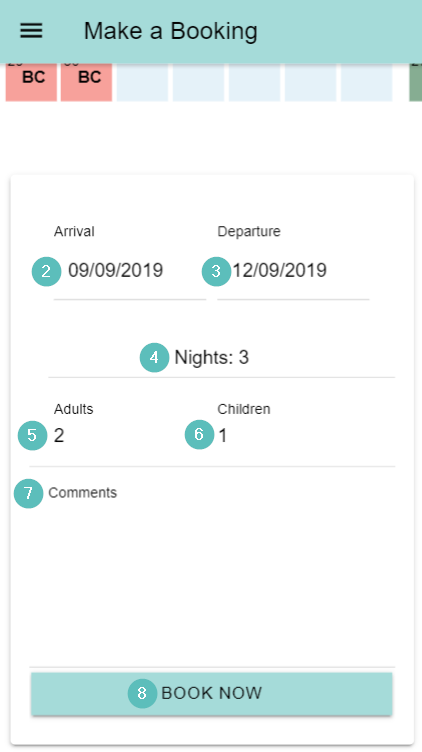
Make a Booking in the Owner Portal

Alana
- Updated