This article will explain how to complete a clean inside of Homhero. This is useful if you have any old or current cleaning tasks that may have been missed and not marked as cleaned.
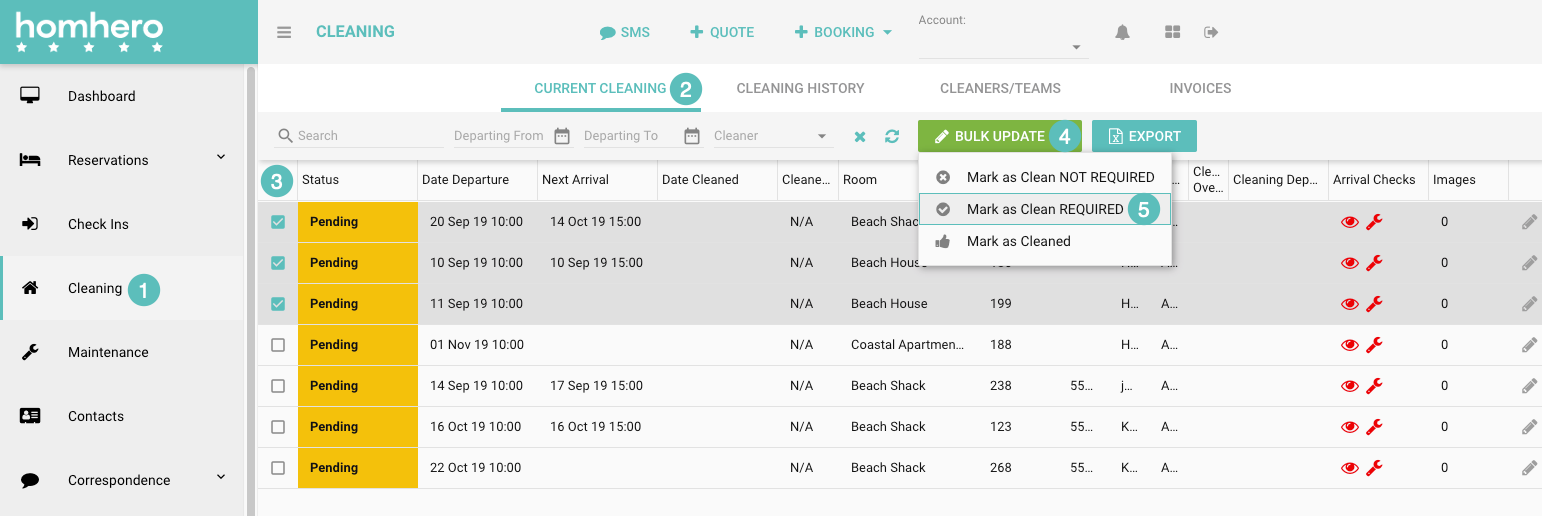
- Click Cleaning from the Homhero side menu
- Ensure you're on either the Current Cleaning or Cleaning History tab
- Tick the box next to each cleaning task you would like to complete
- Click Bulk Update
- Select Mark as Cleaned