
Link Creditor Files to Sundries
Bank Details
- Ensure that all creditors have the correct payment method selected i.e. EFT or Cheque
- Make sure that there are bank details and a bank code
Attach Creditors to Sundries
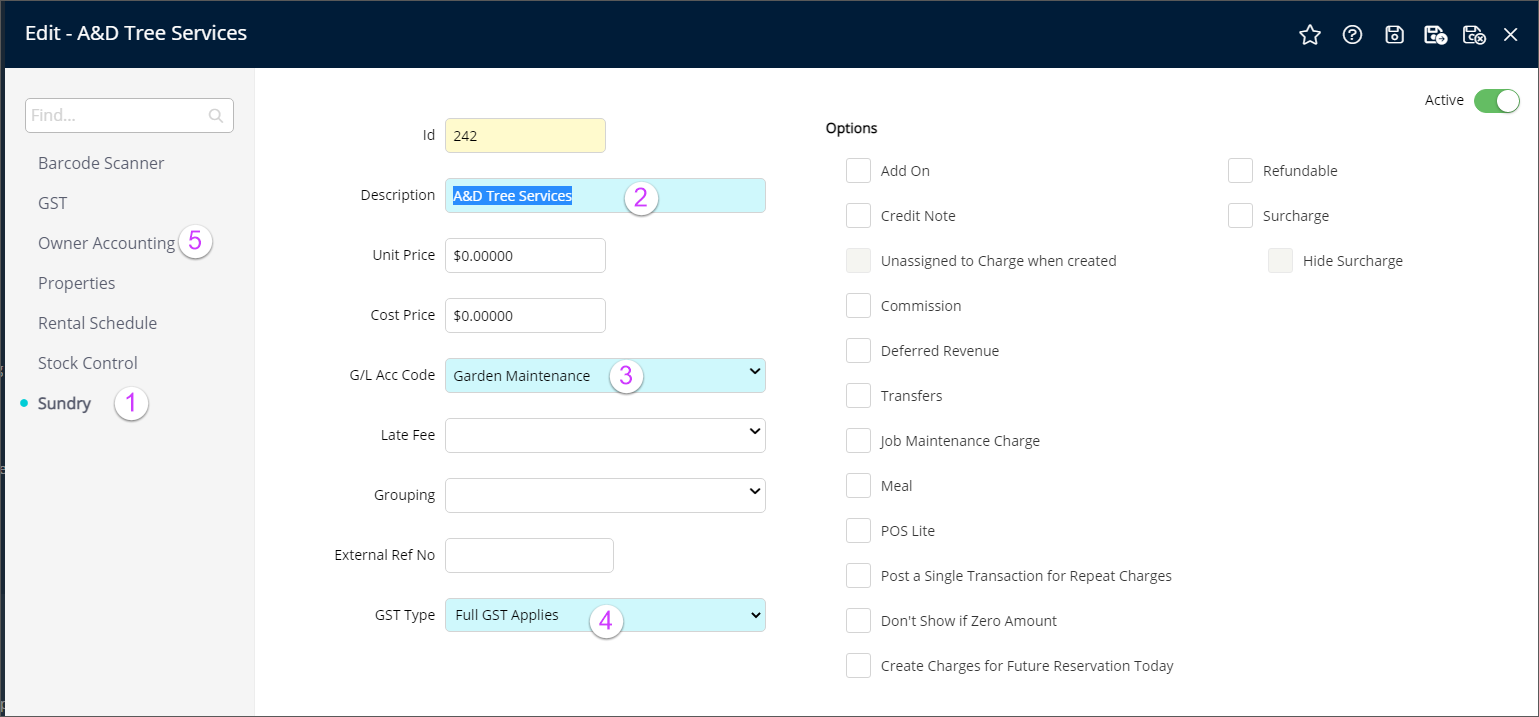
Setup + Accounting + Sundry and Open an imported sundry
- Select Sundry from the left side menu
- Note the Name of the Sundry (should be the same as the 3rd Party Client (Creditor) to which you will attach it)
- Ensure it is connected to the correct GL Code
- Set GST Applies or GST Free (this is very important as once a sundry is used with a particular GST setting it cannot be changed)
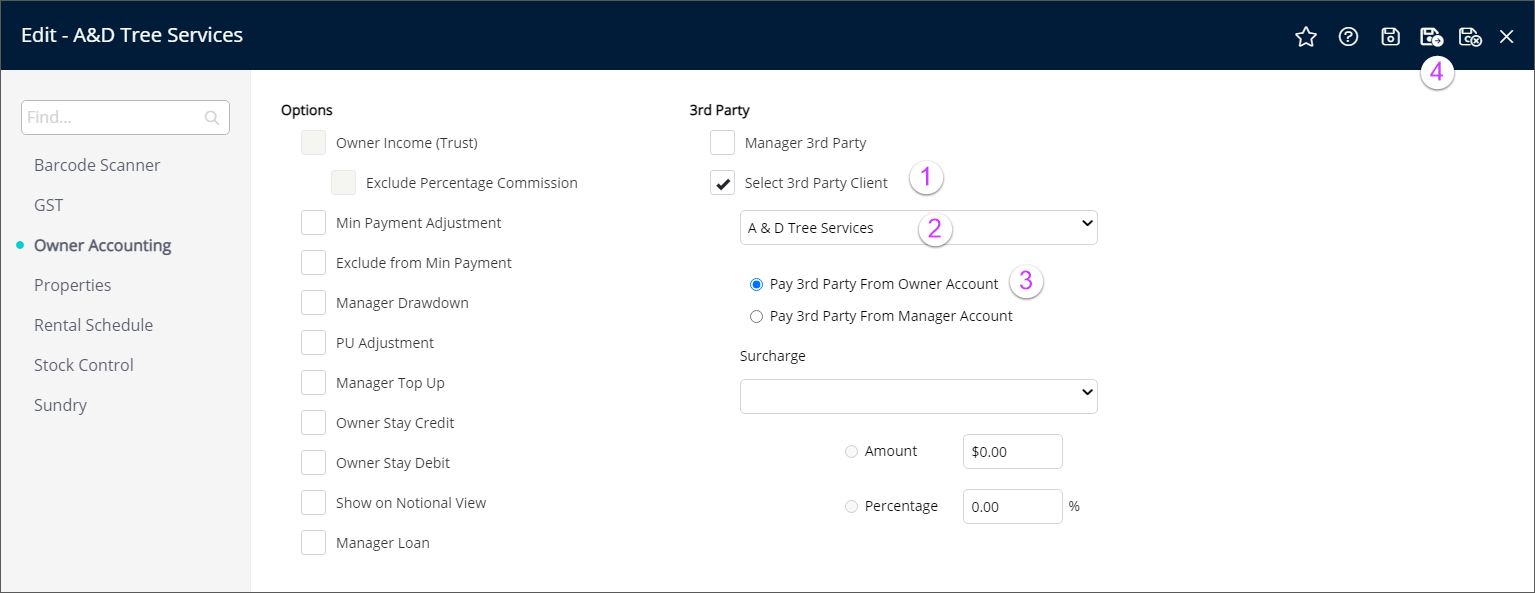
- Select Owner Accounting from the left side menu
- Tick Select 3rd Party Client
- Attach the correct Creditor (3rd Party Client)
- Ensure that "Pay 3rd Party from Owner Account" is selected
- Save and Exit
Go back to the RMS Setup Checklist