
Set Security Profile
Various Profiles can be set for different levels of access. There are some settings that automatically default back to the wrong settings when RMS move clients from Beta to Release Candidate, Live etc
The two settings that default back are Owner Accounting Options and access to modify contacts which prevent the users from attaching an owner to a property
Setup + Users + Security Profiles and Open appropriate profile
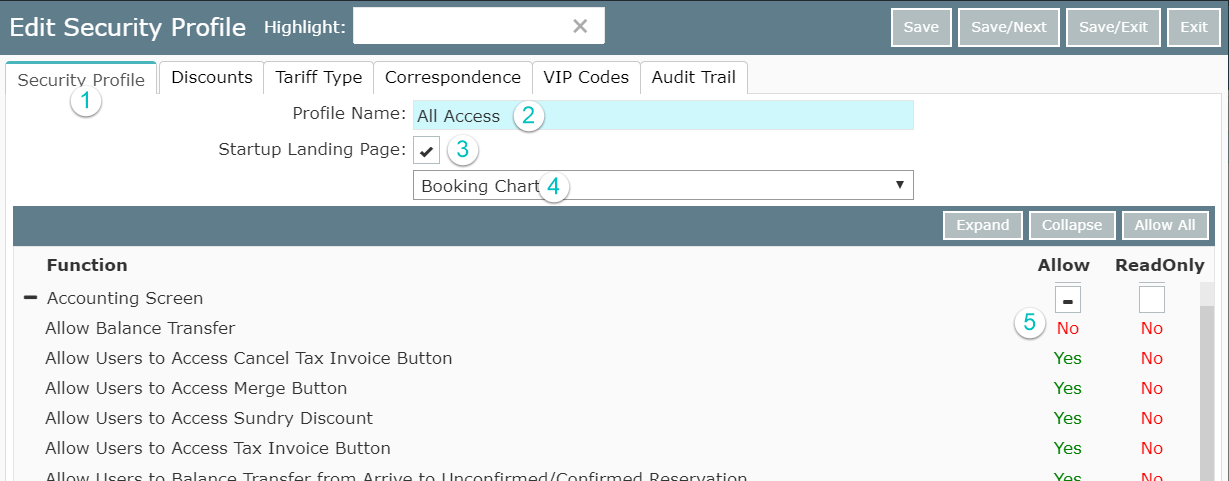
- Select the Security Profile Tab
- Note the name - can be changed
- Select Startup Landing Page
- Select Booking Chart
- Under Accounting Screen set Allow Balance Transfer to No
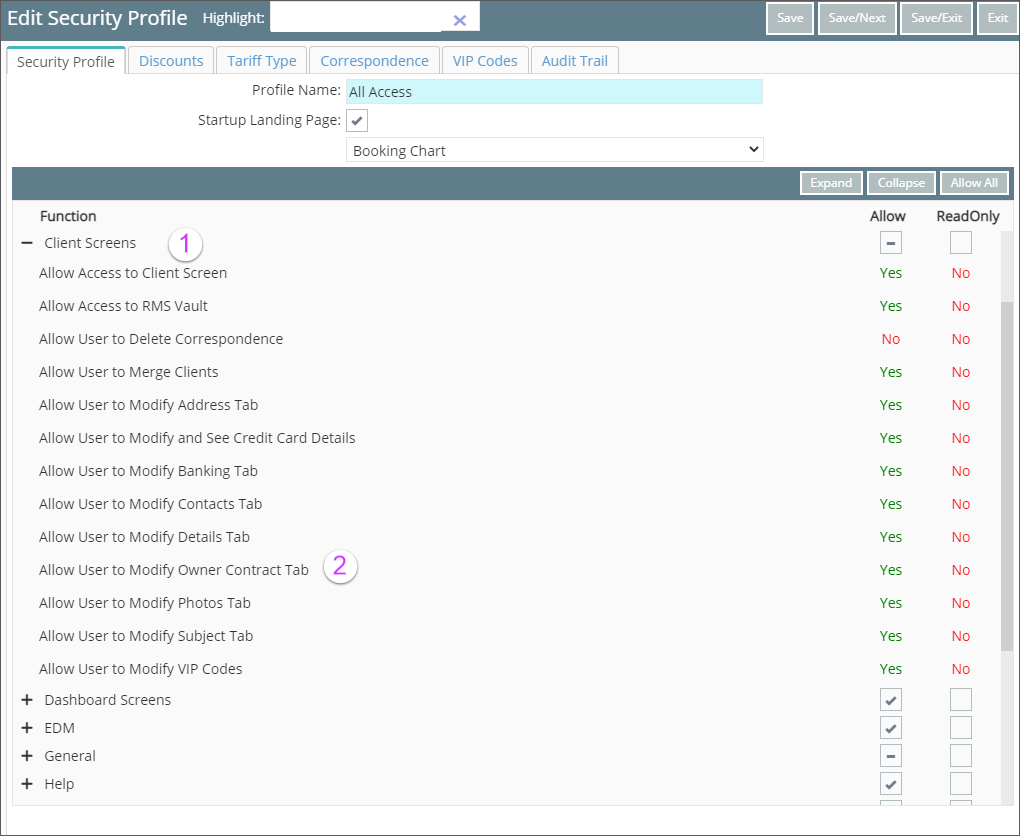
- Under Client Screens
- Select Allow User to Modify Owner Contract Tab to Yes
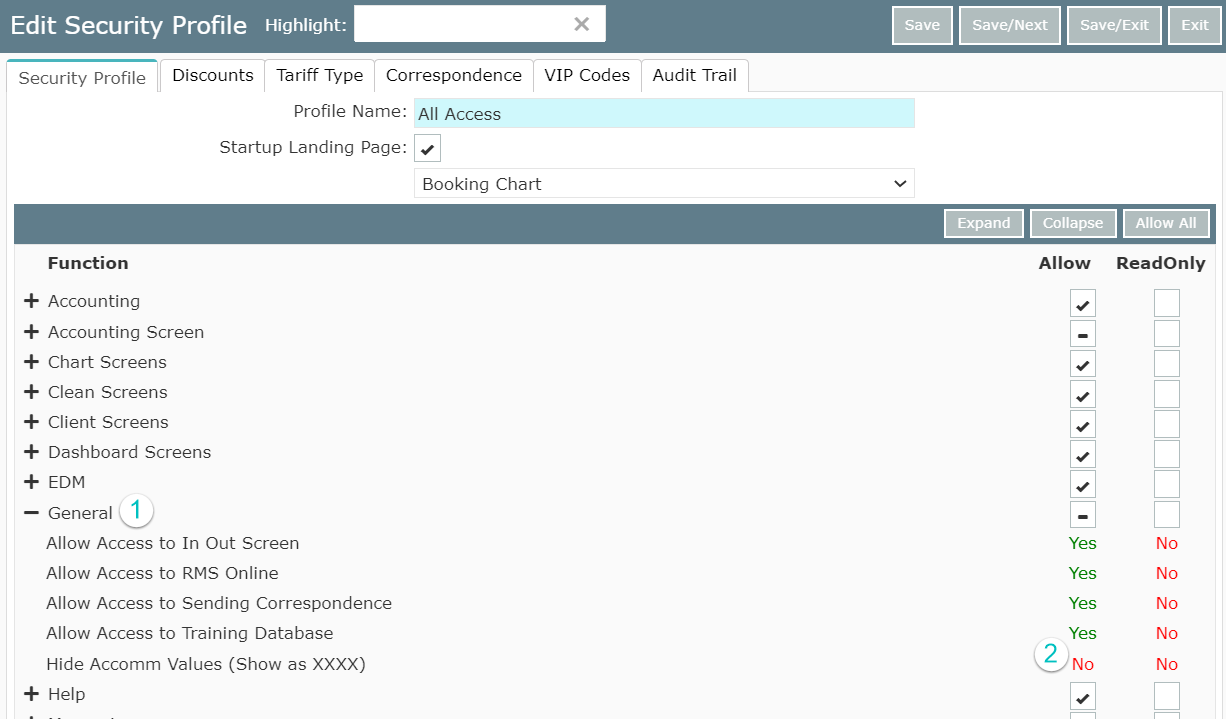
- Under General
- Set Hide Accom Values (Show as XXXX) to NO
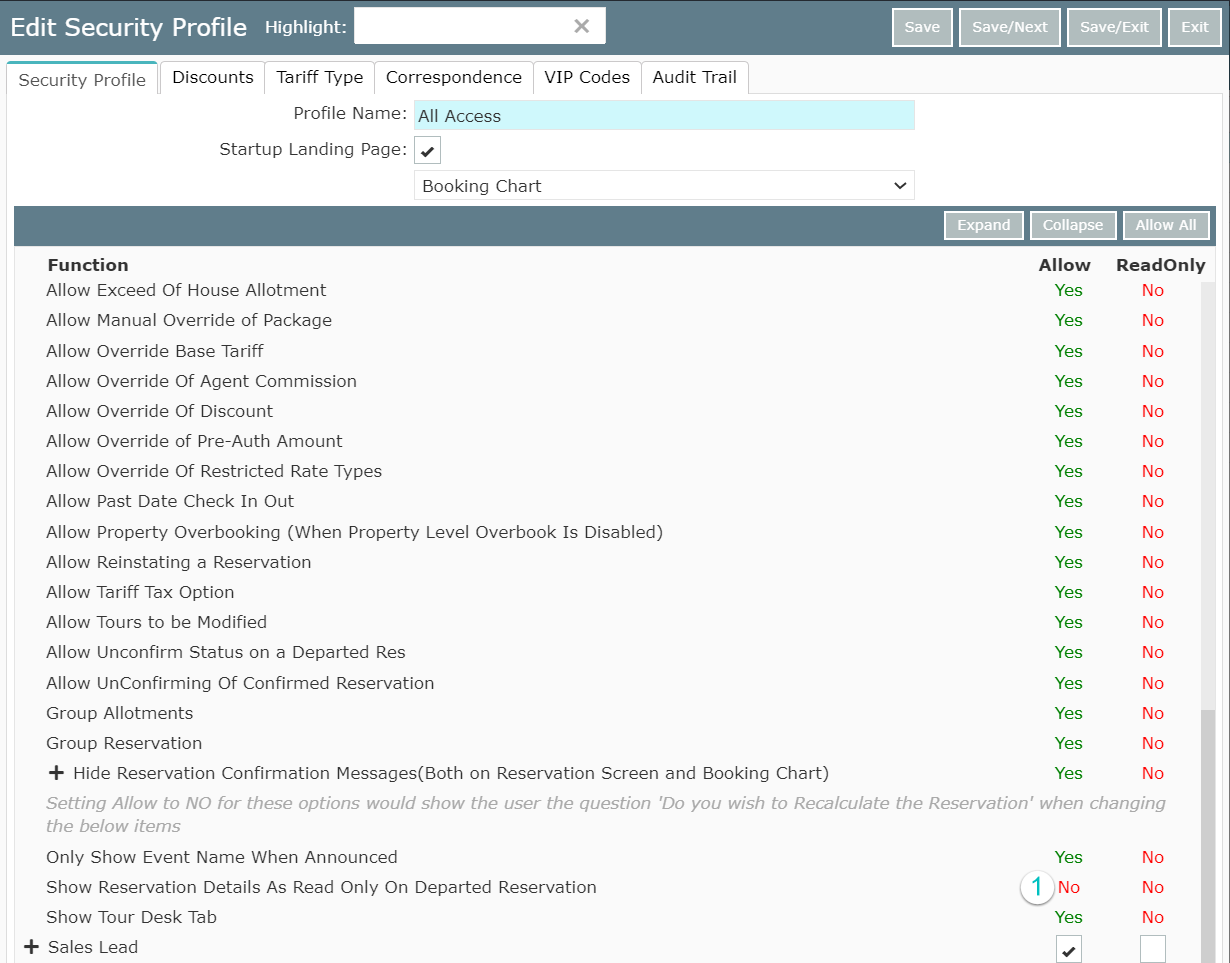
- Under Reservation Screens set Show Reservation Details to Read-Only on Departed Reservation to NO
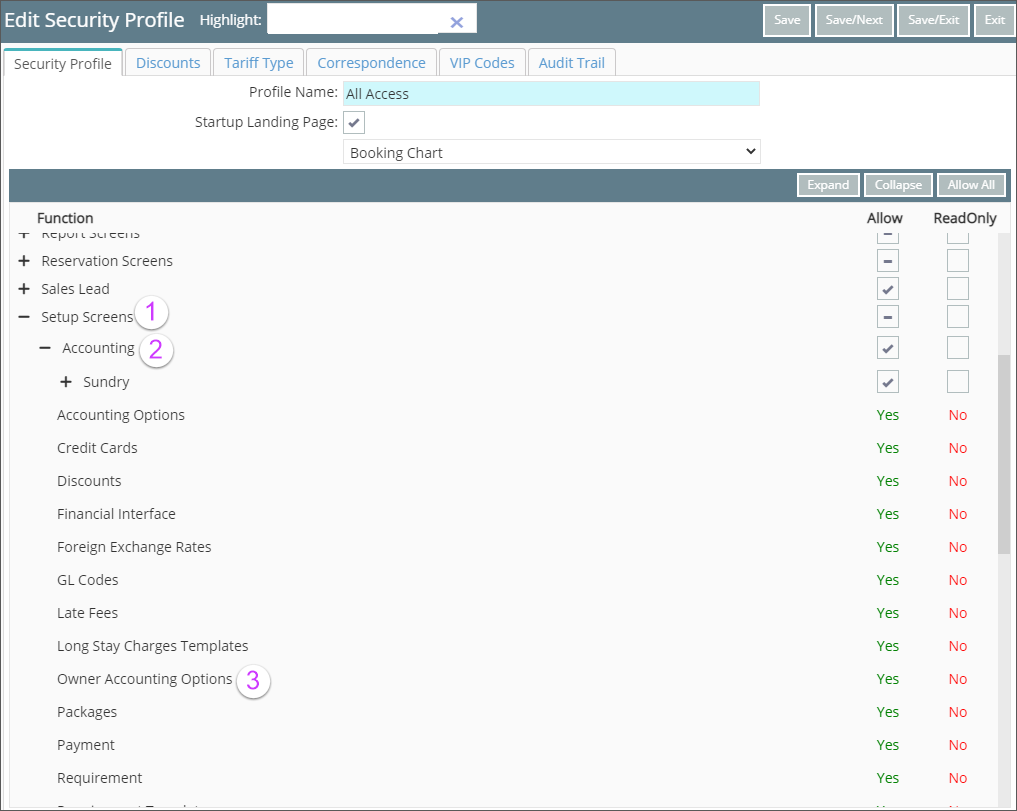
- Select Setup Screens
- Select Accounting
- Ensure that Owner Accounting Options is YES
Save & Exit
Head back to the RMS Setup Checklist