Set up the look of your RMS Booking Chart
We suggest the following settings:
Select Charts + Booking Chart + Click on the Gear Icon in the top right-hand corner.
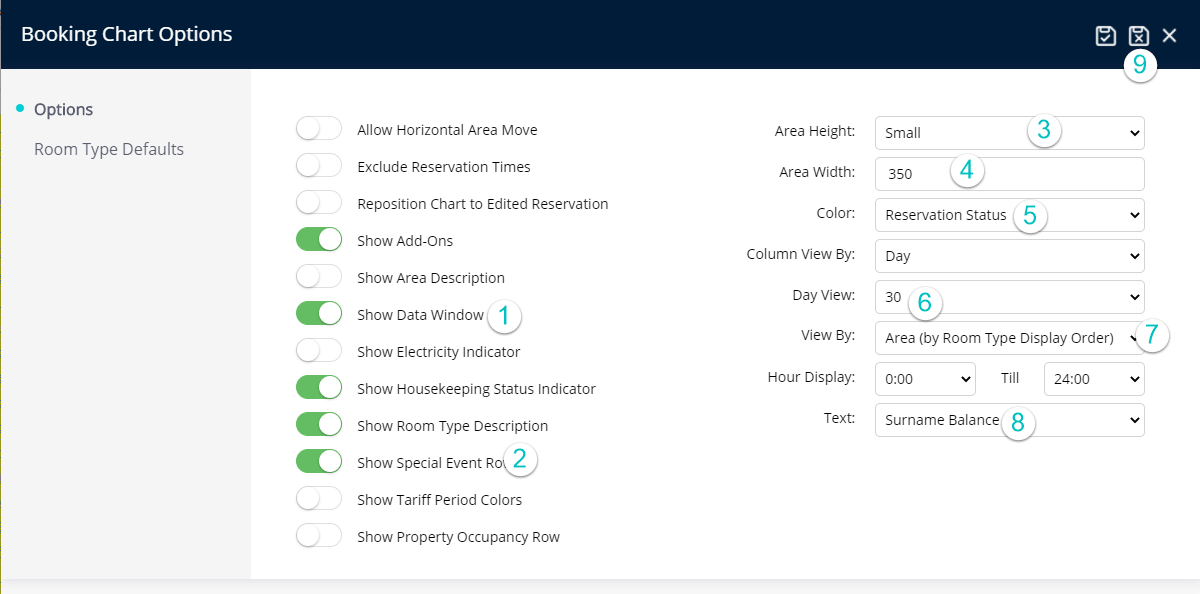
Here are some suggested settings:
Next go to Booking Chart Navigation

We suggest the following settings:
Select Charts + Booking Chart + Click on the Gear Icon in the top right-hand corner.
Here are some suggested settings:
Next go to Booking Chart Navigation