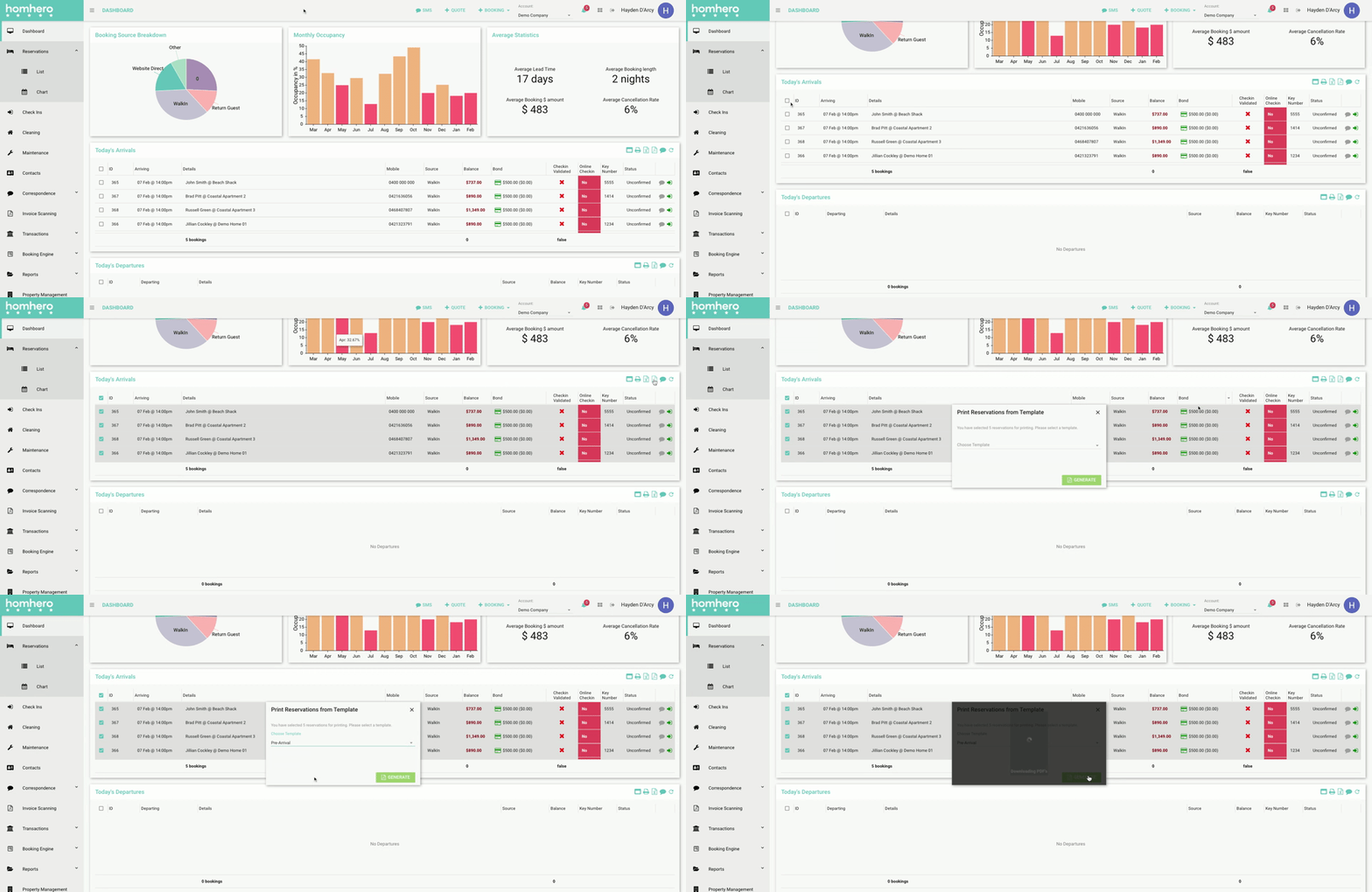
This article will show you how to print a Template from the Today's Arrivals widget on the Dashboard.
- Click Dashboard from the Homhero side menu
- In the Today's Arrivals widget, select the reservations you would like to print the templates for
- Click the PDF icon
The 'Print Reservations from Template' pop-up will appear on the screen - Choose the Template you would like to use from the drop-down
- Click Generate. This will download the PDF files for the selected reservations. The PDF file can then be opened and printed