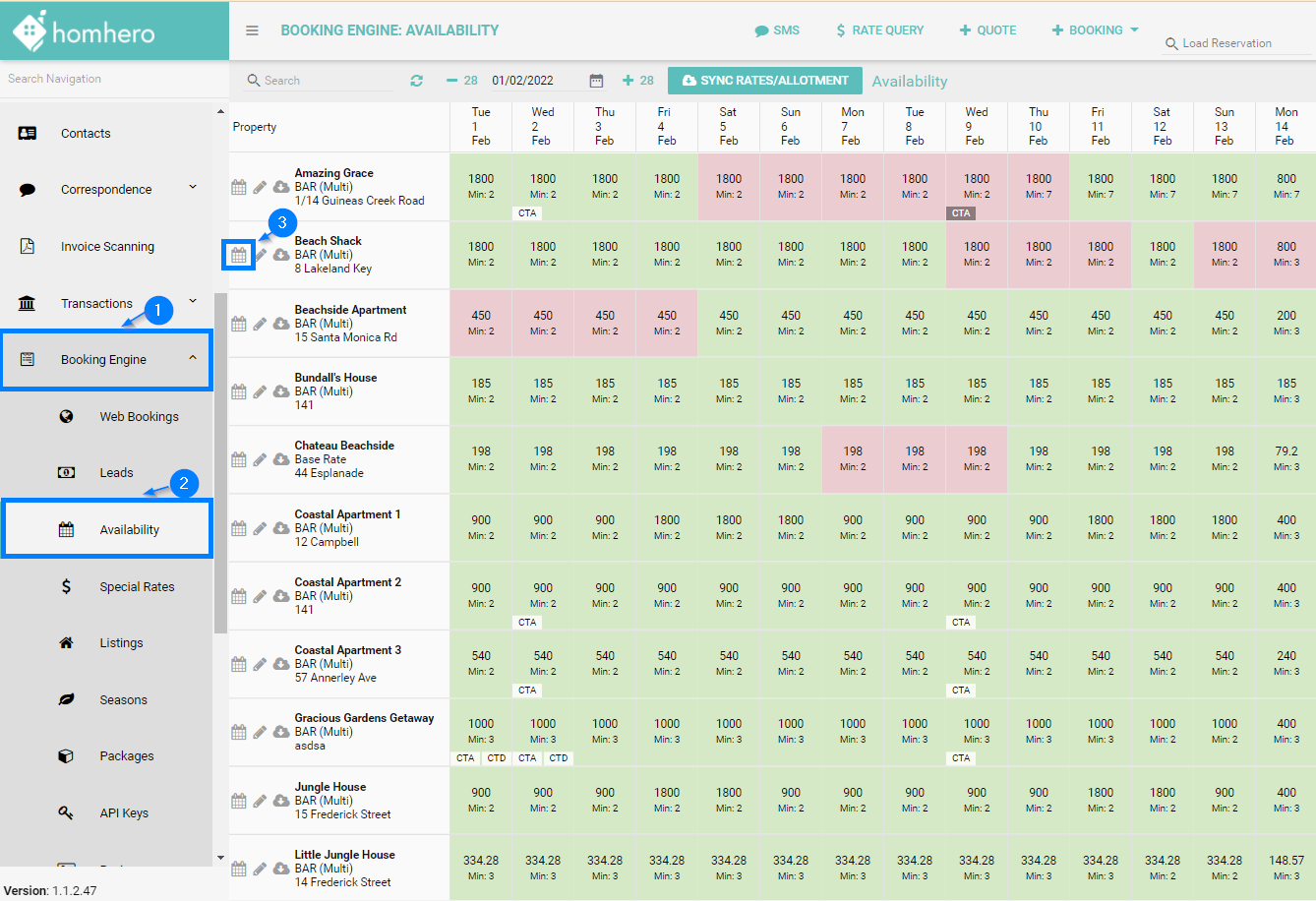
1. Click Booking Engine
2. Then click Availability from the Homhero sidebar
3. Click the calendar icon next to a listing
4. Use the calendar icon to select a Start Date
5. Use the calendar icon to select an End Date
or
You can also click straight away in the calendar to select one day only or drag across to select more.
The date range that you have selected will appear highlighted in yellow and orange.
Also, you can clear the selection in case you made it incorrectly, then use the clear button and start the selection again.
6. Click the Mark drop-down
7. Click Stop Sell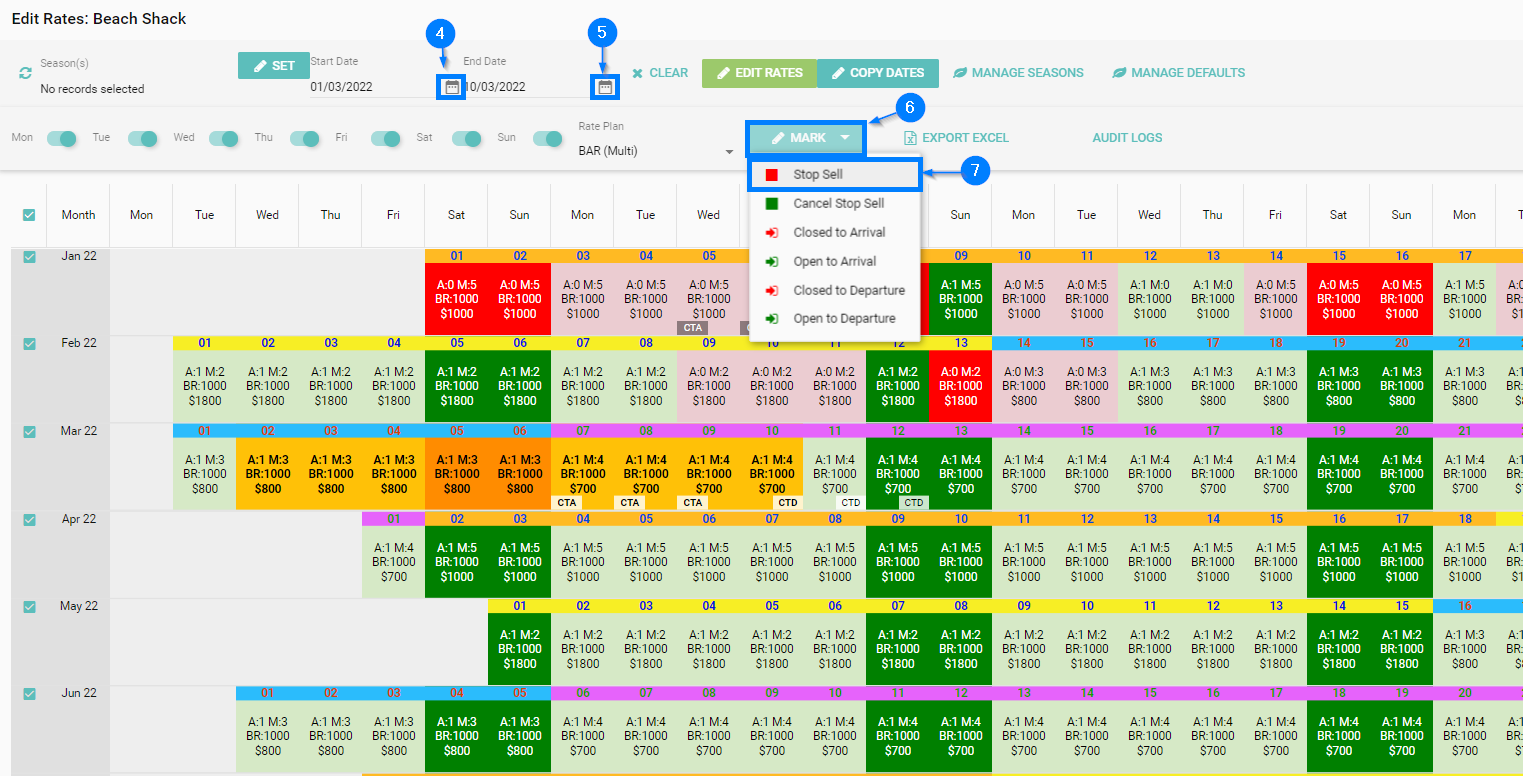
8. Click Yes to confirm the stop sell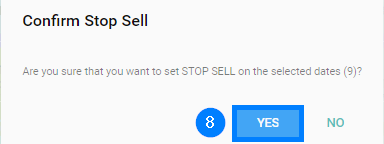
Another prompt will pop up asking if you would like to copy this update to other listings. If you want that, please click Yes and see more information on how to proceed on the article Copying Rates. Otherwise click No.

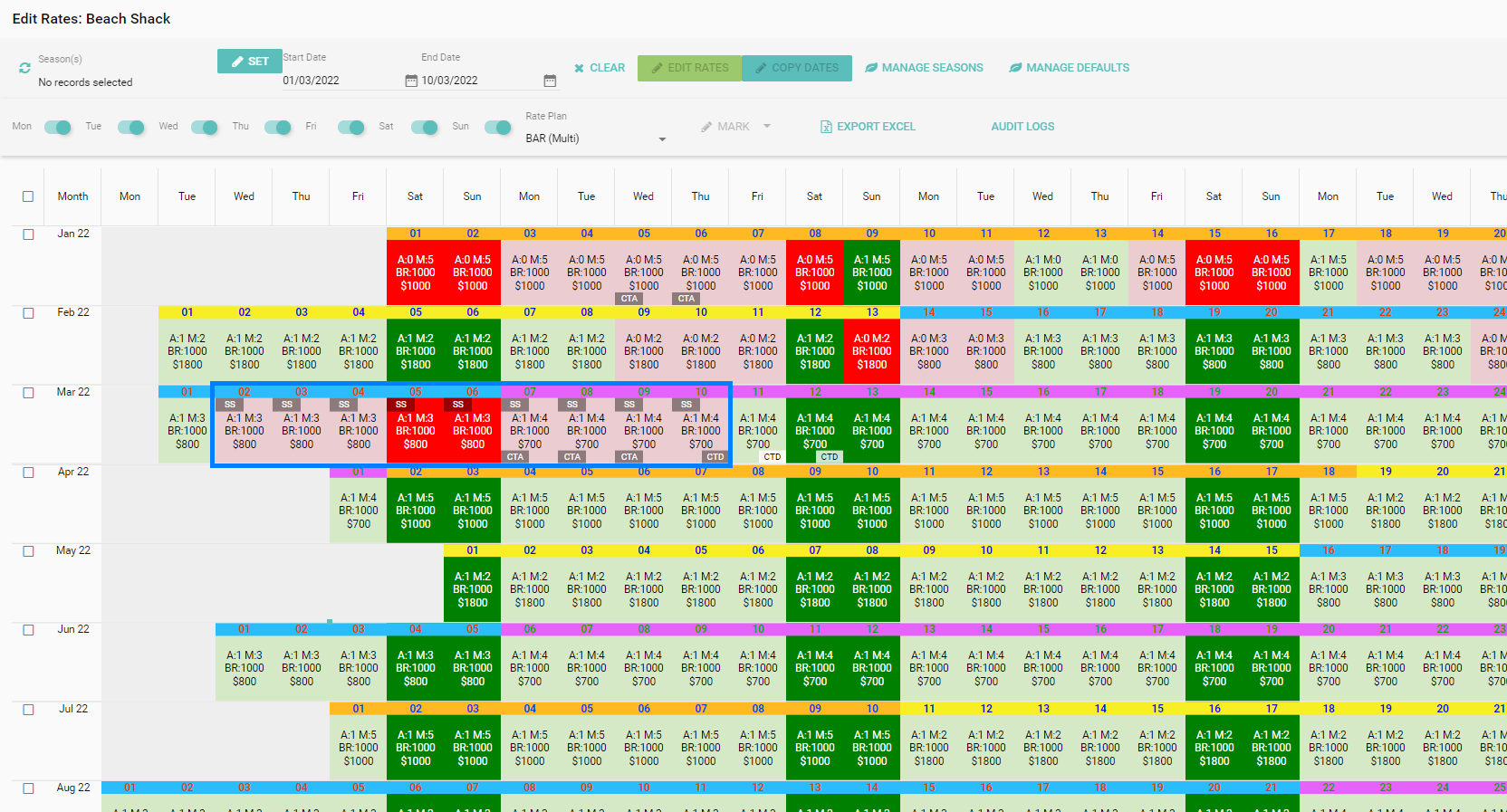
9. The stop sell dates will appear in red with a SS next to each date