1. Click Booking Engine and then click Listings from the Homhero sidebar
2. Click the calendar icon next to a listing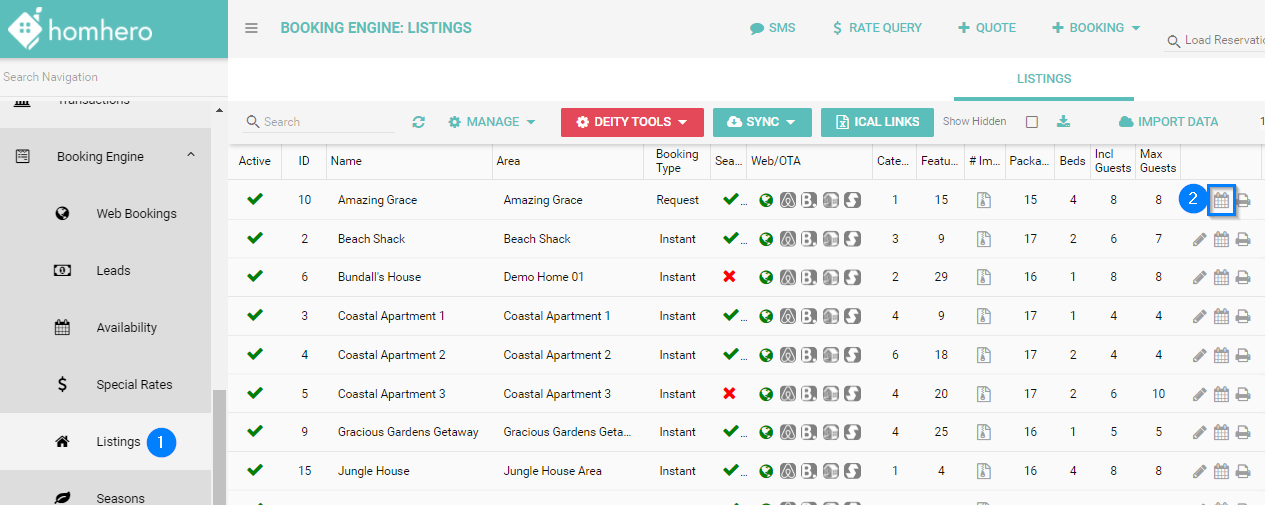
3. Click Export Excel
4. Click the downloaded file to open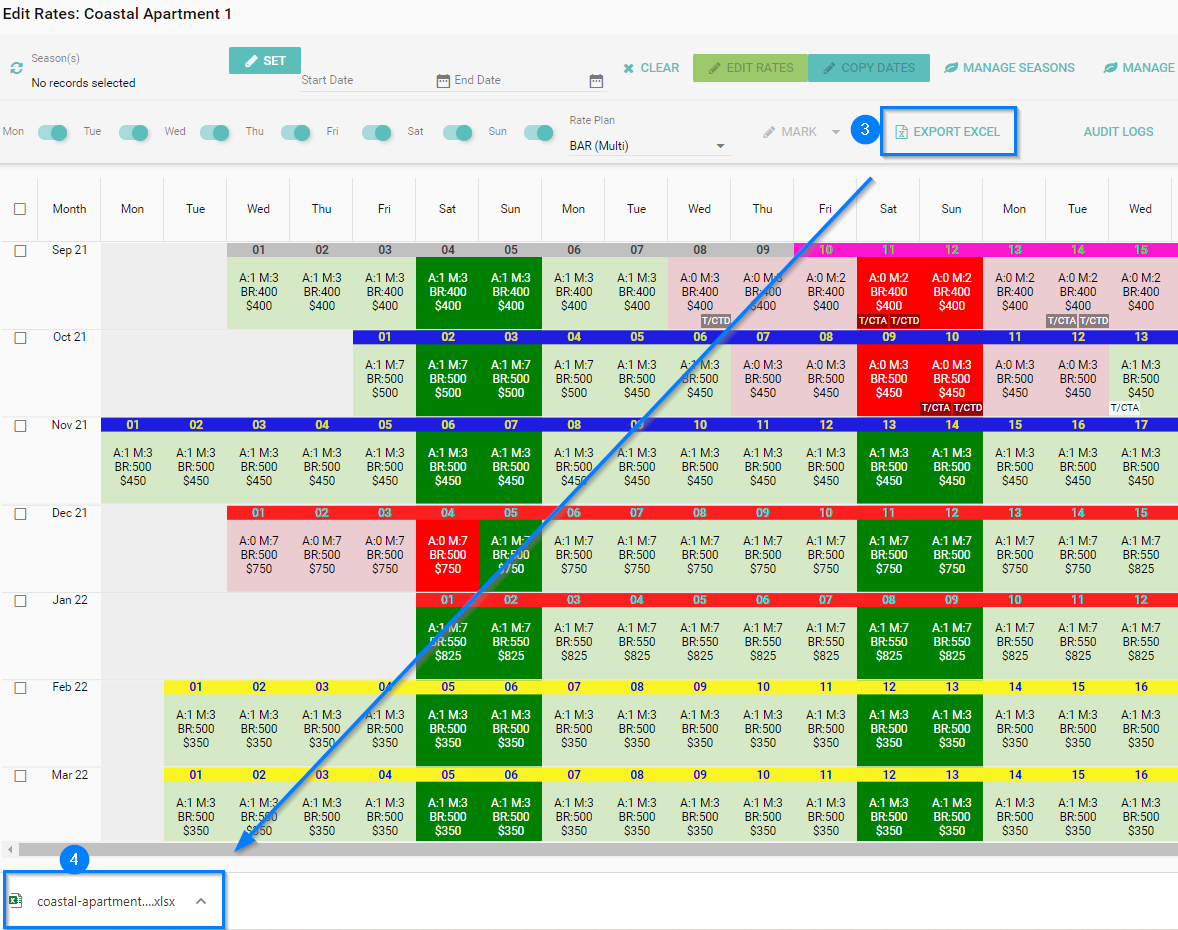
Export Rates

Alana
- Updated