1. Click Contacts from the HOMhero sidebar
2. Click the Owners tab
3. Tick the box above the owners to select them all or tick the box next to each owner you want to email
4. Click Communicate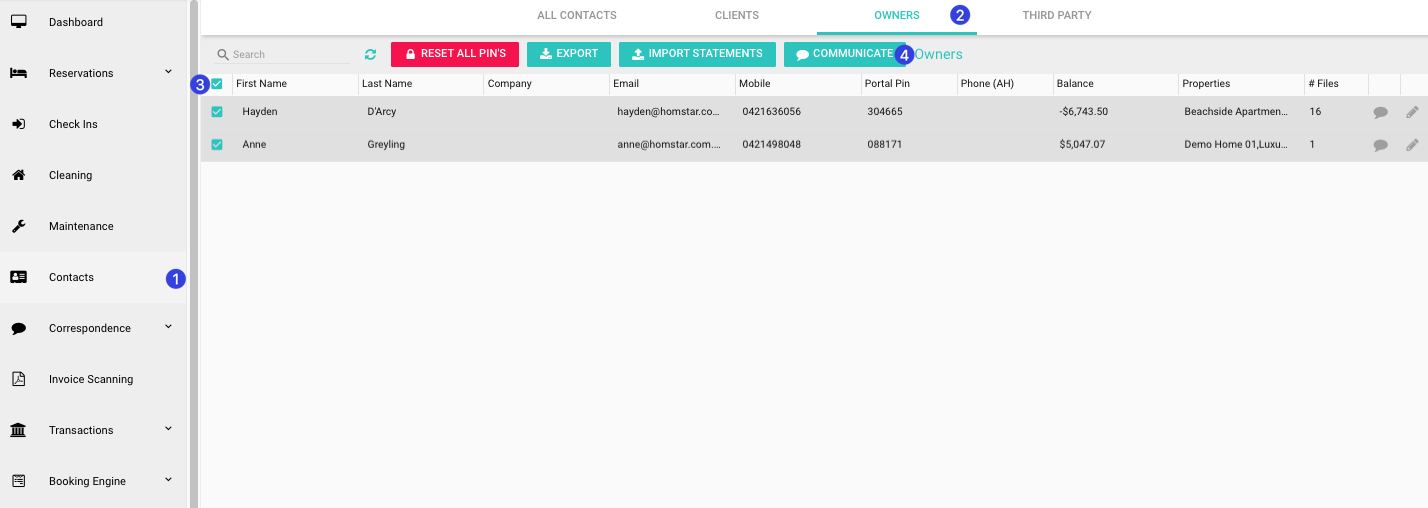
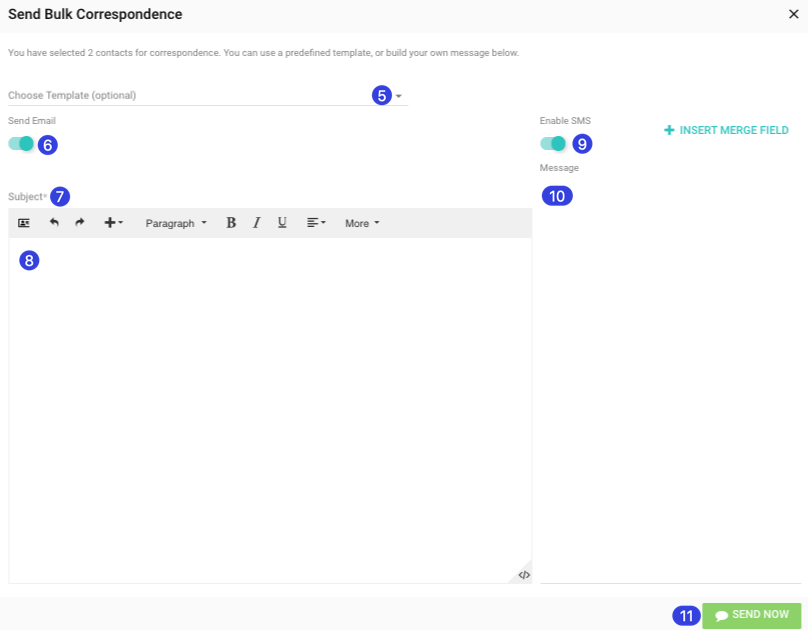
5. Click the drop-down to select a template (optional)
6. If not sending an email untick the toggle to turn this off
7. Enter an email Subject
8. If not using a template enter the body of the email here
9. If not sending an SMS untick the toggle to turn this off
10. Enter the SMS message here
11. Click Send Now