HOMHERO Help Center home page
Home Submit a request Sign in
  1. HOMHERO
  2. Owner Management and Owners Portal
  3. The HOMHERO Owners Portal

Search

Your Bookings

Alana
Alana
  • Updated April 29, 2020 02:05

1. Click the menu icon and select Your Bookings from the side menu
mceclip0.png

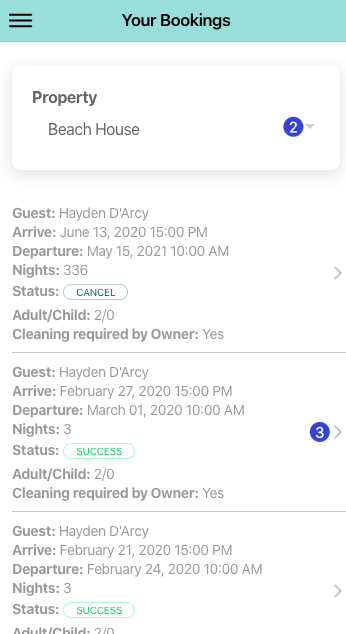
2. If multiple properties are being managed click the Property drop-down and select which property you wish to view
3. A list of owner bookings will be displayed below, you're able to click on the booking to open
mceclip1.png

Related articles

  • Accessing the Owner Portal
  • Dashboard
  • Guest Bookings
  • Adding a New Correspondence Schedule
  • Add a Stop Sell
homhero.com.au
Powered by Zendesk