
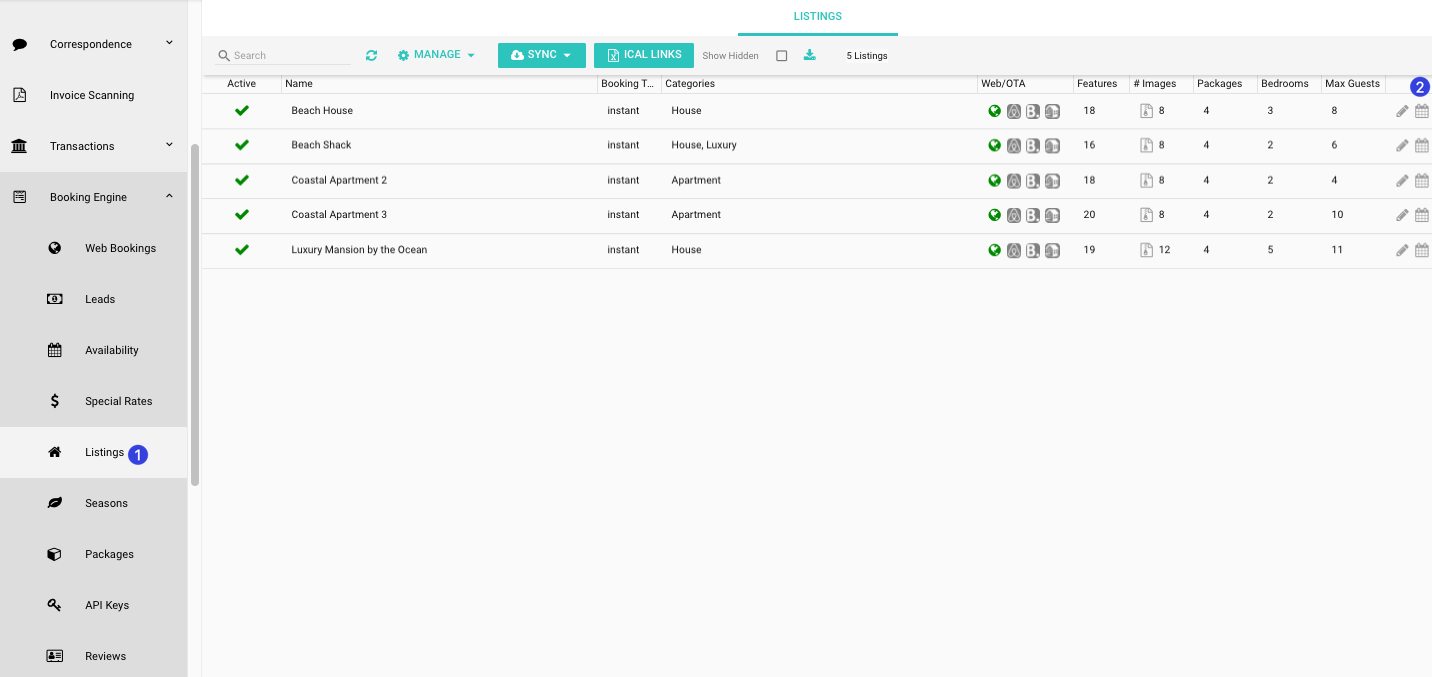
1. Click Booking Engine and then click Listings from the HOMhero sidebar
2. Click the calendar icon next to a listing
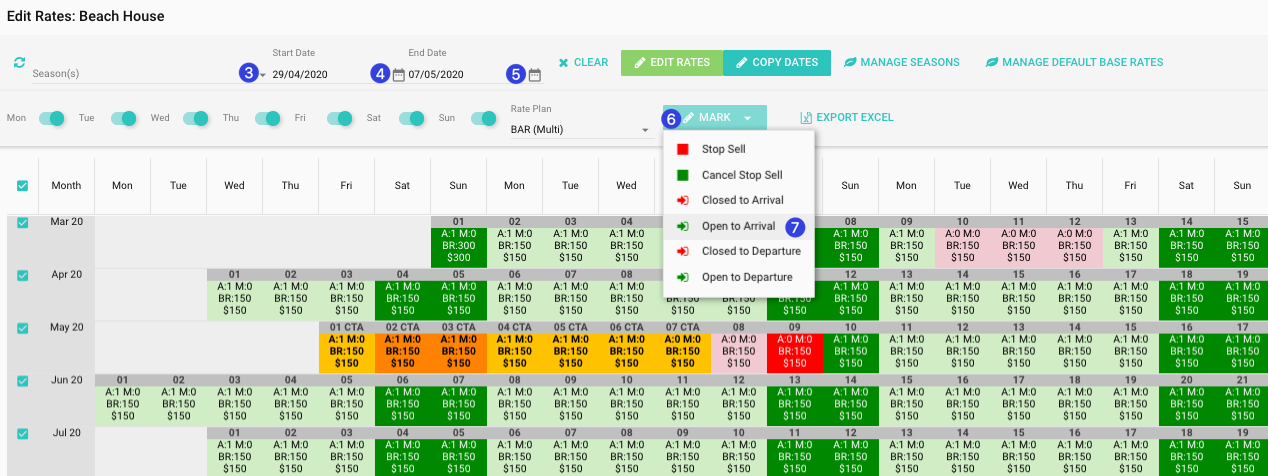
3. Click the Seasons drop-down and select the season to open arrivals for
or
4. Use the calendar icon to select a Start Date
5. Use the calendar icon to select an End Date
Note: The date range that you have selected will appear highlighted in yellow and orange
6. Click the Mark drop-down
7. Click Open to Arrival
8. Click Yes to confirm the removal of closed to arrival