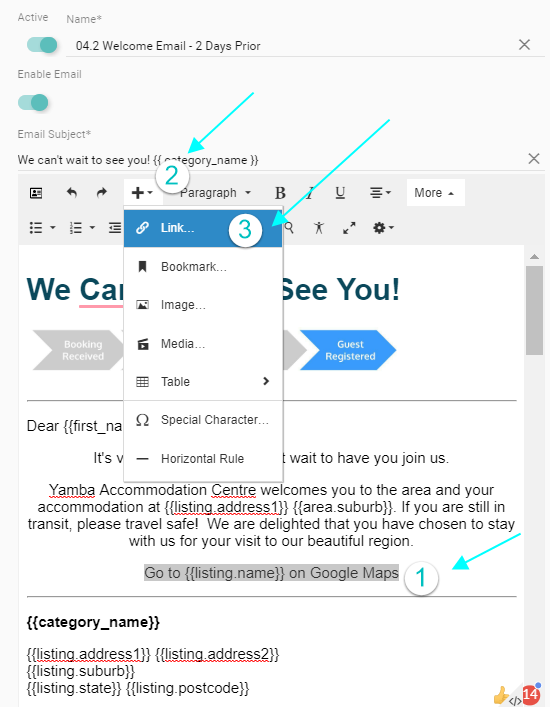
- Create a template and enter some text eg. View on Google Maps using the {{listing name}} merge field - see example below
- Select that text, and click the Insert Menu
- Select Link
- Paste the following into the link url: https://www.google.com/maps/?
q=, - Save, and send a test to yourself, from a real reservation.