
This article is a quick guide to explain how to upload and split out multiple Invoices that are included in the same file. This process can only be achieved when uploading Invoices manually, it will not work via the Invoice Scanning email.
There is no limit to the amount of multi-pages within an Invoice that can be uploaded. Therefore if you sent through 1 PDF file with 10 Invoices combined, it will then automatically upload them as Individual Invoices when using this option.
- Click Invoice Scanning from the Homhero side menu
- Click Upload Invoice
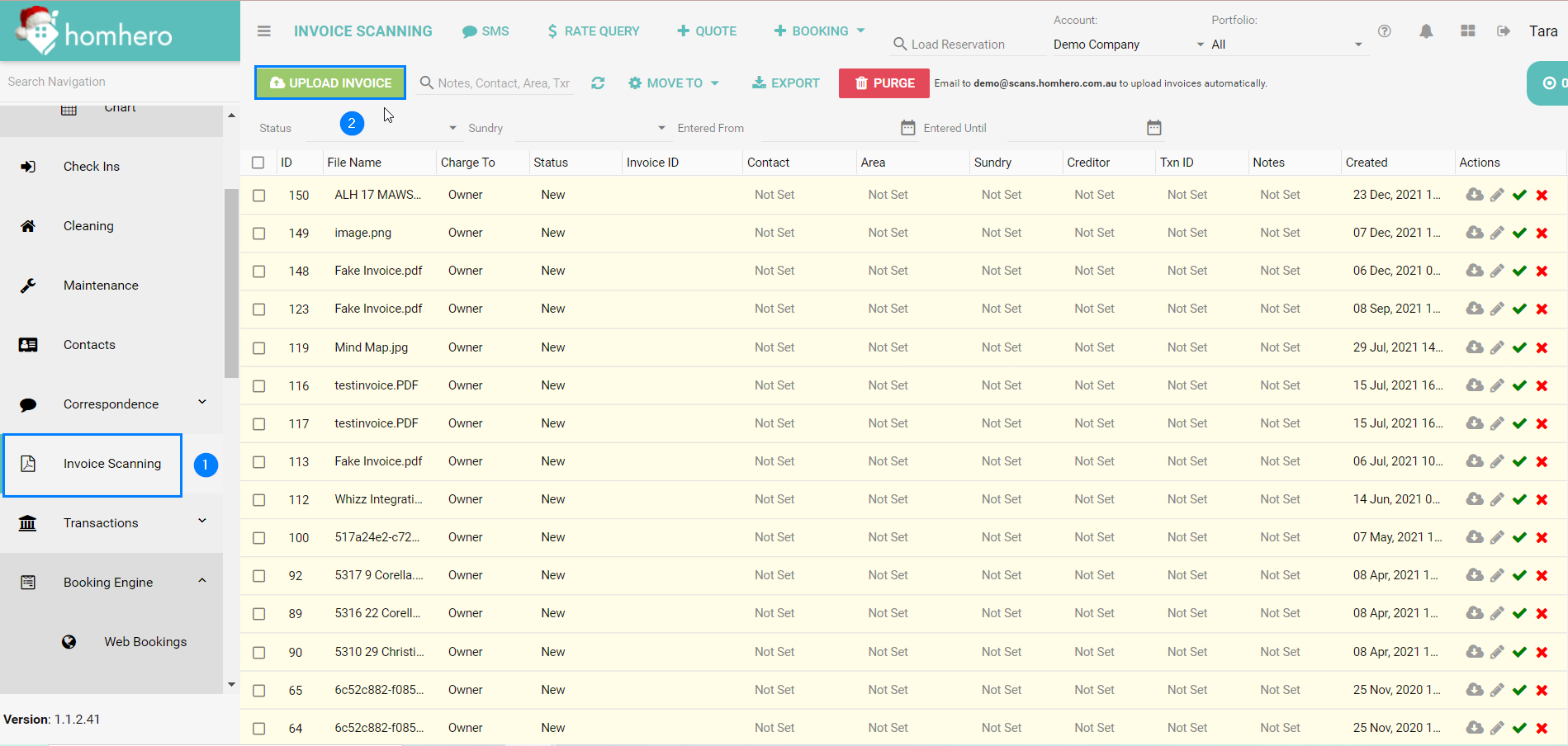
Once you have selected the File from your computer, the below pop up box will appear
3. Ensure you check the Multi-Page tickbox. This will upload each page as an individual Invoice, so there is no need to upload them one by one.
4. Select Upload invoices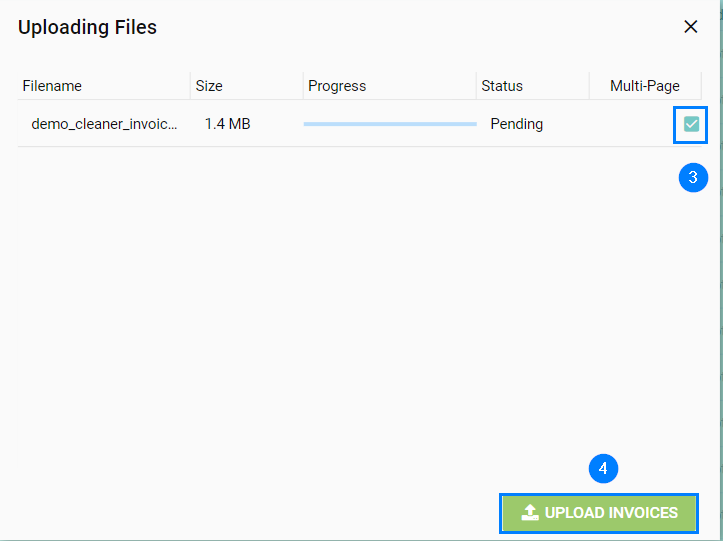
You can now process the invoice as normal.