This article will explain how to add a charge and payment to an existing booking in Homhero.
Please follow the below steps:
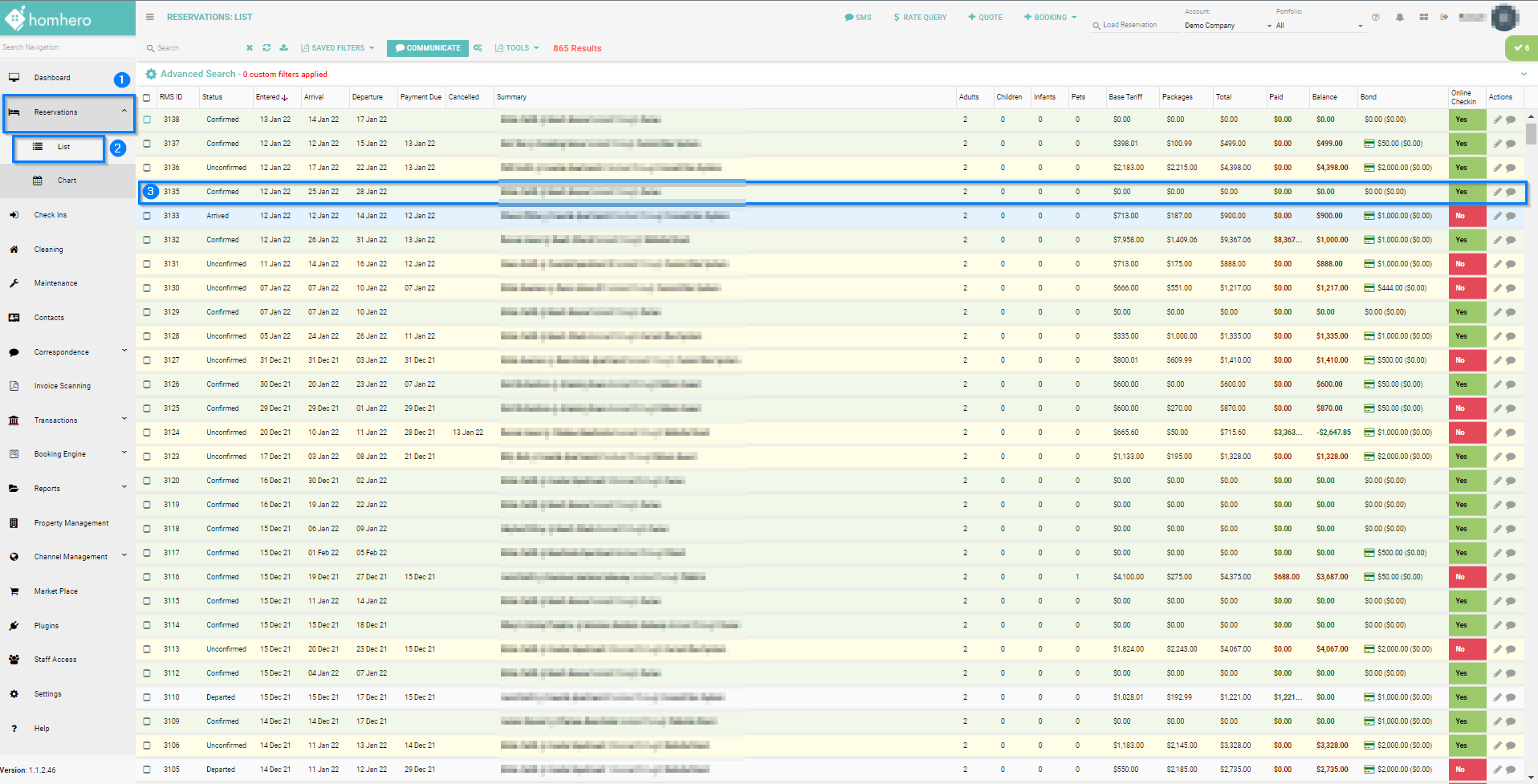
- Select Reservations, from the Homhero side menu
- Click on List
- Double click on the reservation that you would like to add the charge to
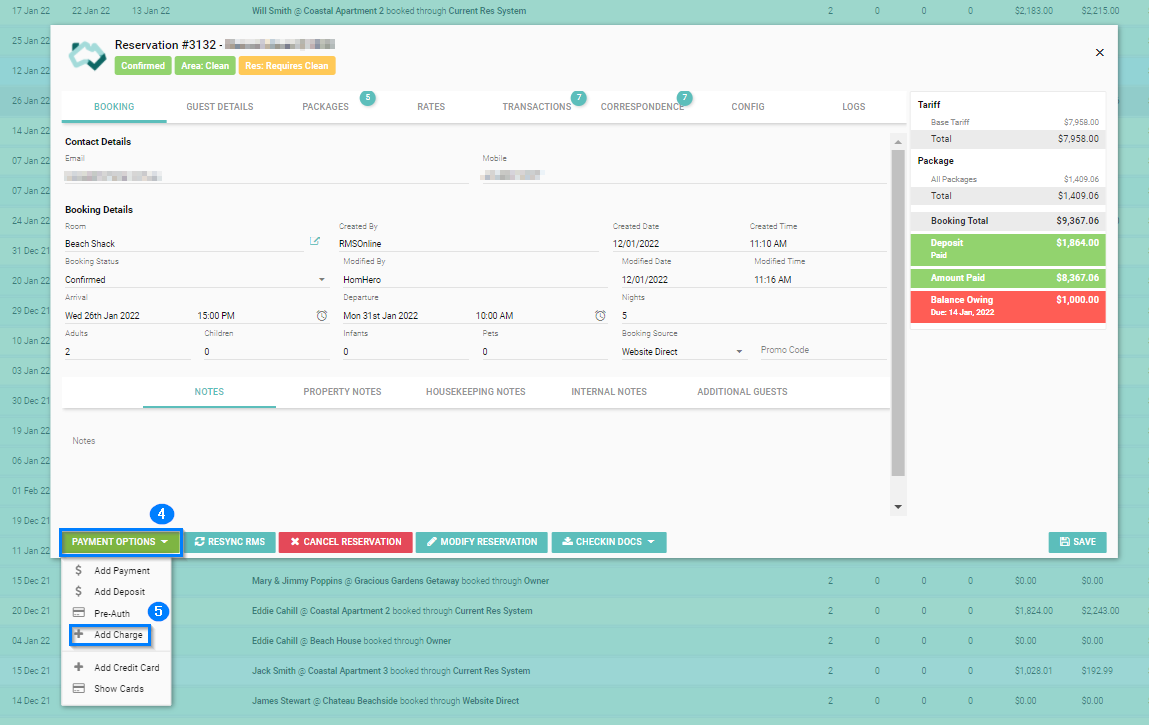
- On the Reservation screen, click on Payment Options
- Click Add Charge
-
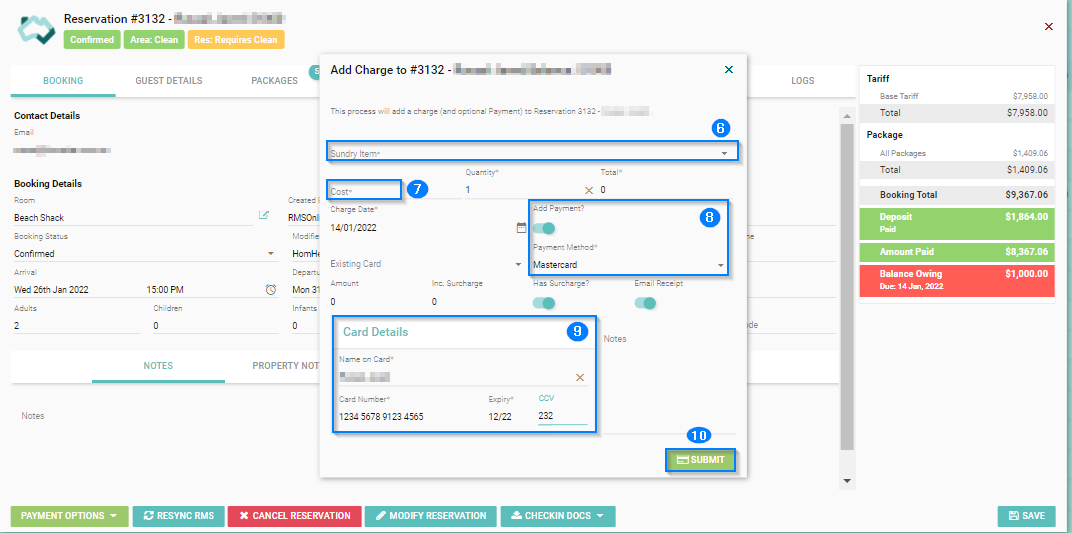
On the 'Add Charge' pop-up, click the Sundry Item drop-down and select the sundry that you would like to charge this against
- Enter the Cost - Proceed to Step 10 if you are NOT adding a Payment
Add Payment
- If you would like to add a Payment at the same time then turn the 'Add Payment' toggle on, then select the Payment Method from the drop-down
- Add the Card Details if selecting a Credit Card option such as VISA or Mastercard
-
Click Submit