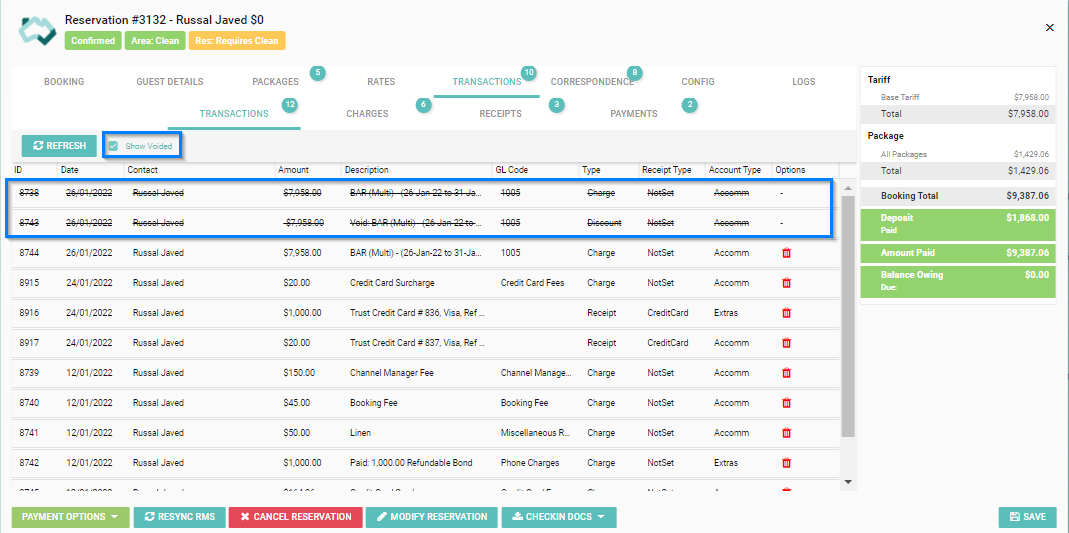
This article explains step by step how to void a charge on a reservation in HomHero.
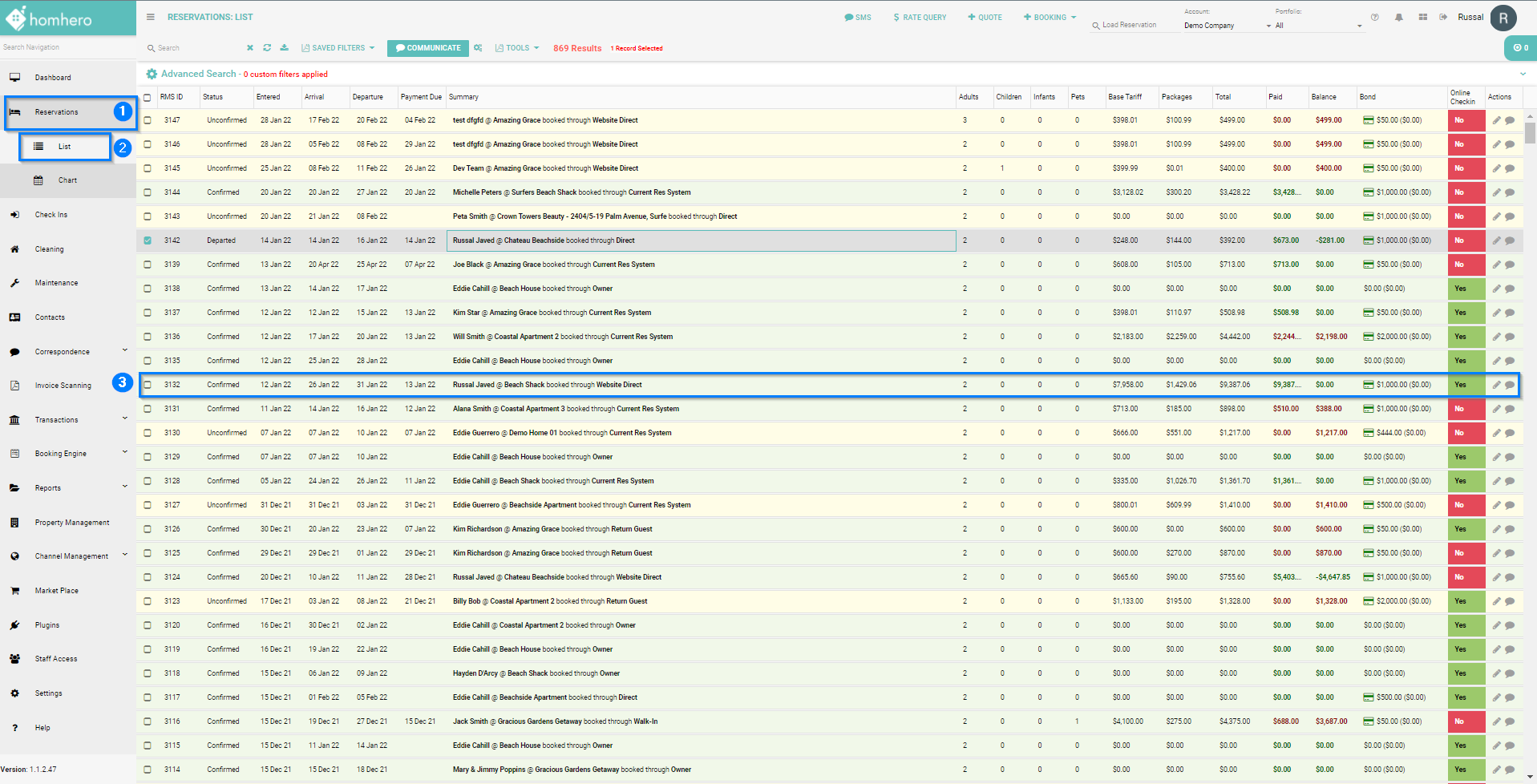
- Click Reservation from the HomHero sidebar
- Select List
-
Double click on the Reservation to open the reservations screen
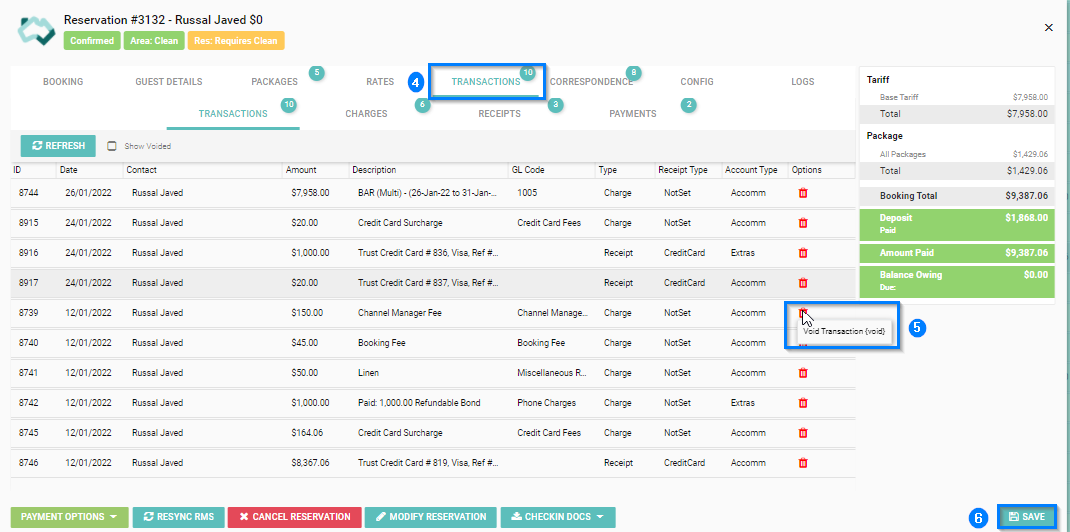
- Select the Transactions tab
- Find the Charge you want to void and click the Trash Bin ICON on the same line, under the Options column
- Click Save
To view all Charges that have been voided from the reservation, tick the 'Show Voided' box next to the Refresh button