
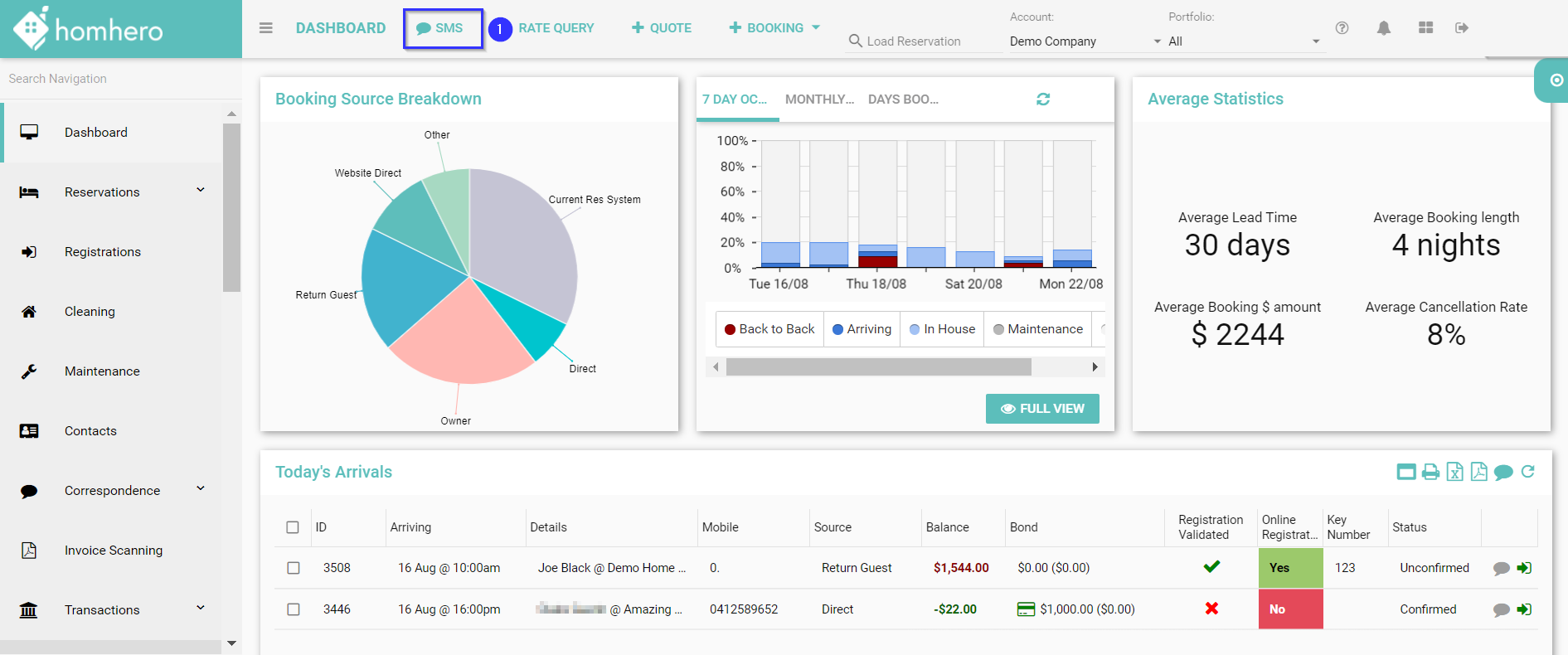
You do have the ability to send an instant SMS whilst being on any page throughout Homhero.
Please follow the below steps:
- Click the SMS icon at the top of your Homhero screen
- Enter the Mobile Number of the person receiving the SMS
- Enter your Message
- Click Send Now
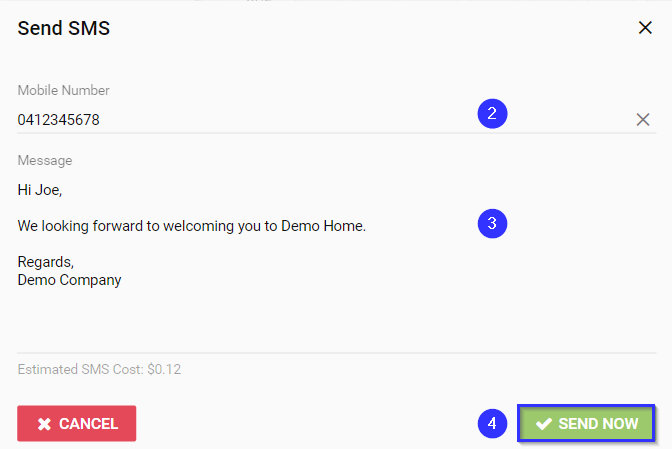
IMPORTANT: Please ensure you check the Estimated SMS Cost and character limit before sending a text as SMS costs will apply. The maximum amount of characters for one text message is 160 characters, therefore if these characters are exceeded, the SMS will be split into multiple messages.
You can also send an SMS from the following areas in Homhero:
- Dashboard - Today's Arrivals
- Dashboard - Today's Departures
- Dashboard - Bookings Taken This Month
- Dashboard - Online Registration's Requiring Validation
- Reservations List
- Reservation - Correspondence
- Registrations
- Cleaning - Cleaners/Teams
- Contacts - Owners
- Contacts - Third Party
- Contacts - Clients
- Contacts - All Contacts
- Correspondence - Inbox
- Correspondence - Sent
- Booking Engine - Leads