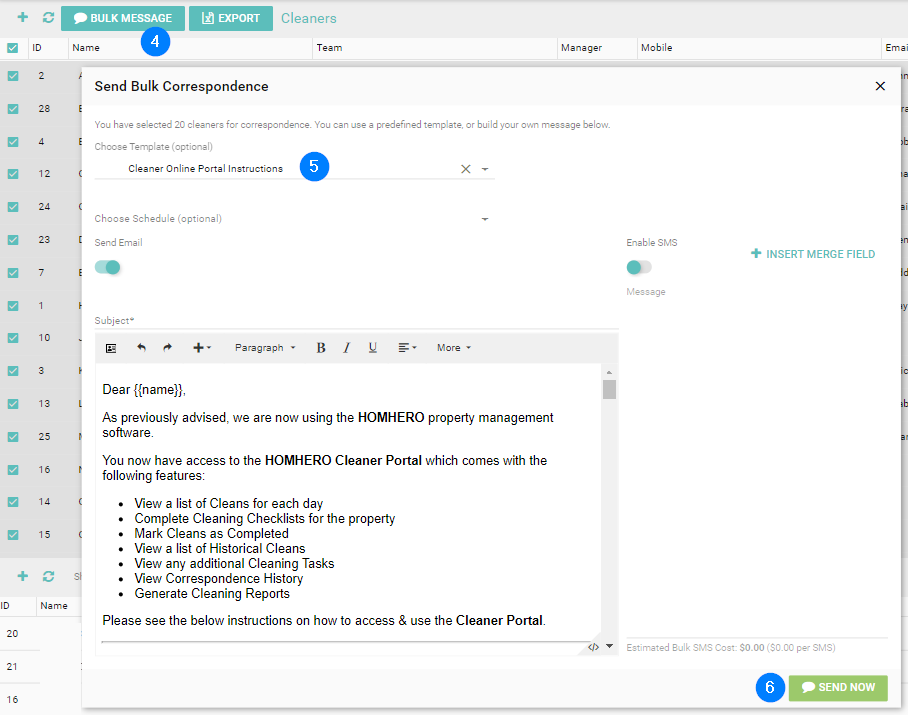
This article provides information on how to send out the online portal instructions email to cleaners.
NOTE: The Online Portal Instructions to Cleaners email is found under Correspondence > Templates for your convenience. If you do not have this please phone HomHero Support and we can add this to your account for you.
1. Click Cleaning from your HomHero sidebar
2. Ensure you're on the Cleaners/Teams tab
3. Check the box for every cleaner you wish to send this correspondence to. If sending to ALL cleaners, check the box next to ID to select all.
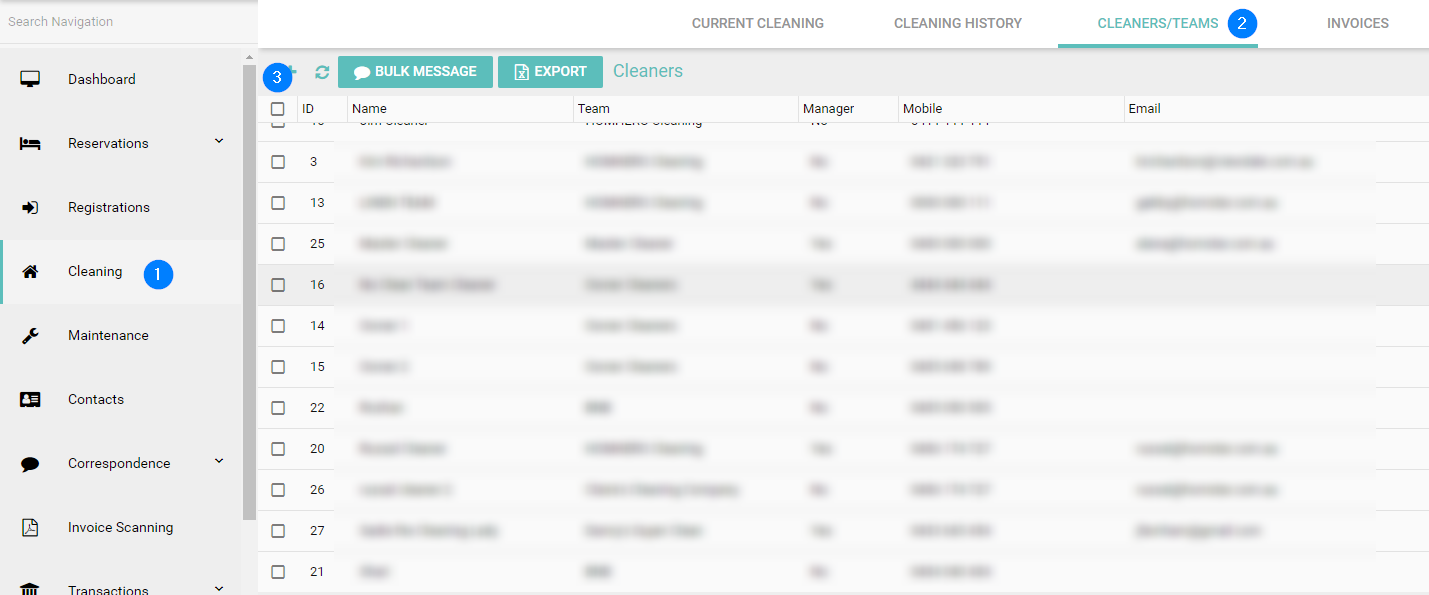
4. Click on Bulk Message
5. Select your template Cleaner Online Portal Instructions from the drop down.
6. Click Send now