1. Click Reservations from the side bar and click List
2. Click the Cog icon 
or
3. Hold your left click of your mouse over the column header
3. A pop-up box on the left-hand side will appear, the Blue Eye icon  means these columns are already appearing, clicking this icon will make this column disappear from the reservation list
4. The Grey Eye icon  means these columns are not appearing, clicking this icon will make this column appear on the reservation list
5. To change the order of the columns hold down the left click of your mouse on the three Grey Lines icon  and drag the columns up and down into the order you want
6. Click Done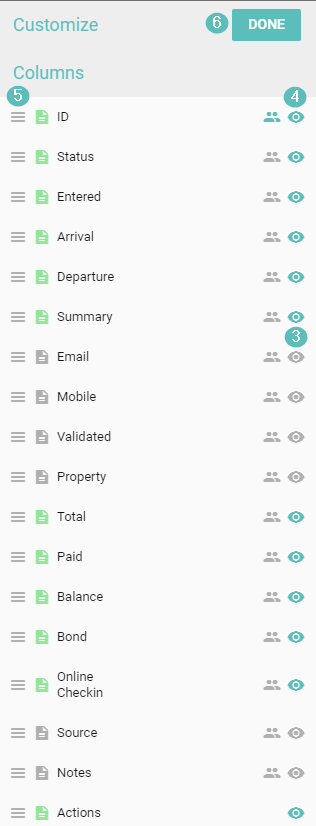
How to change the column configuration on the Reservations List

Comments
0 comments
Please sign in to leave a comment.