
Console/YesBookit Clients
Trust Daily Accounting and Banking Process
Daily Trust Procedure:
- Print a bank statement from your online banking software for both Console and RMS trust accounts
- Print summary from Secure Pay for money deposited into Console Trust (this will need to be moved to RMS and receipted)
- Receipt direct credits that appear on the bank statement for Console trust account and omit balances that need to go to RMS
- Take on an adjustment in Console for the monies to be moved to RMS
- Reconcile the Console trust account
- Receipt the balances transferred from the Console trust into RMS
- Remember when receipting in RMS to check rates– if credit notes exist this means that you do not need package sundry items as the package items have been paid out previously in Console:
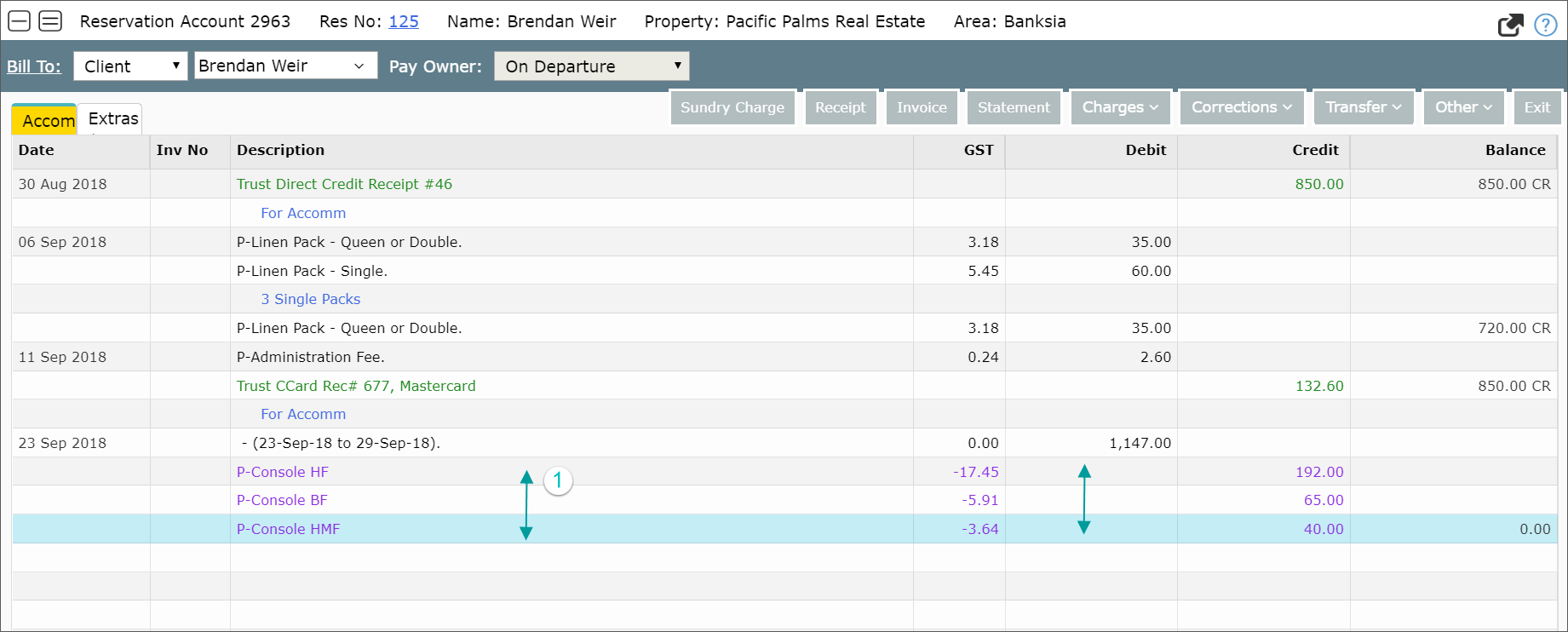
- Take on an adjustment in RMS for the monies moved from Console
- Now receipt monies from the RMS trust bank statement, present payments and adjustments for monies moved on the previous day
Owner Accounting + Reconciliation + Payments
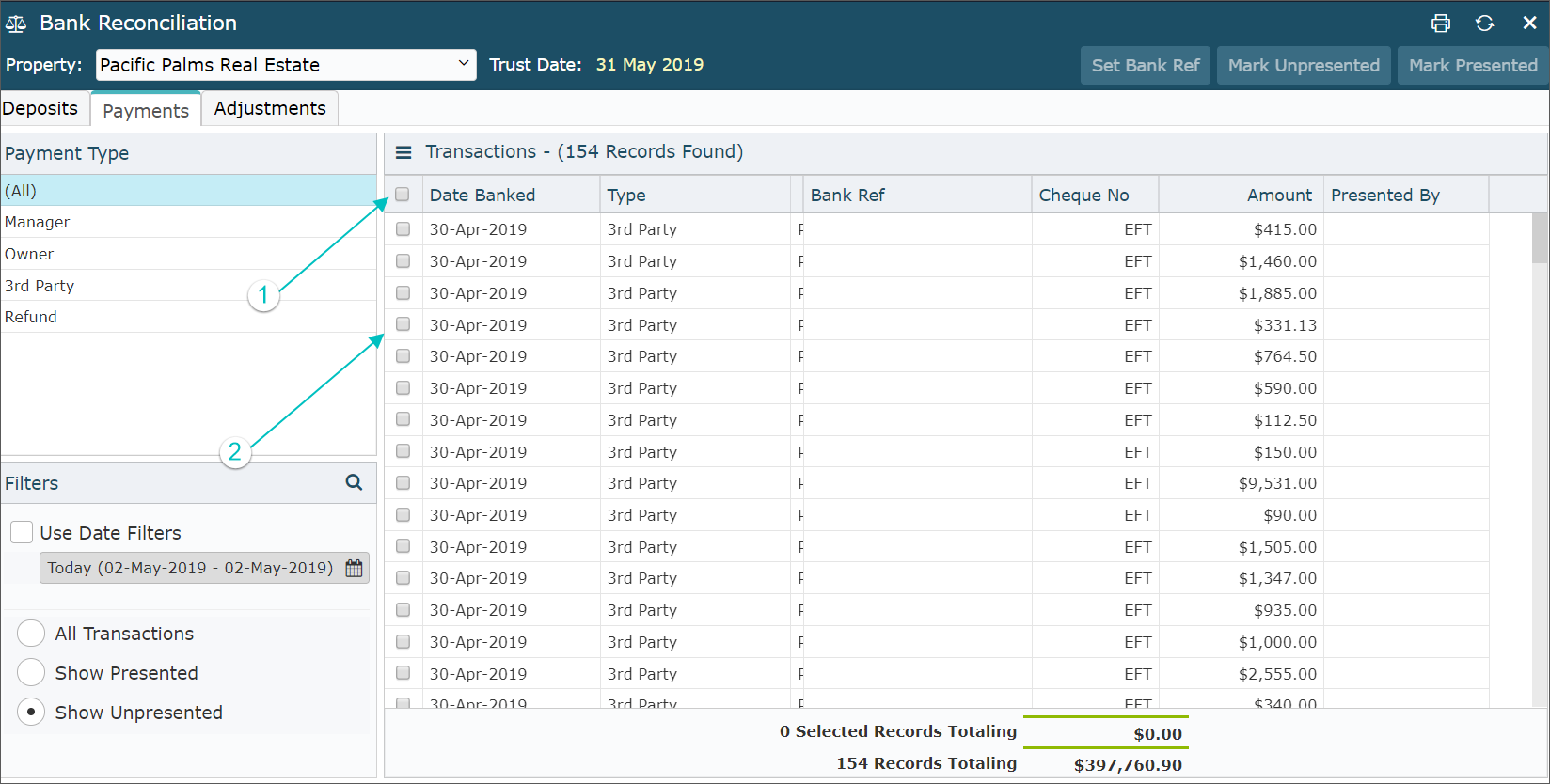
You can select all items at once by selecting “1” as illustrated or select individual payments “2”
- To reconcile – Build a Three Way Balance report
- Owner Accounting + Reports + Three Way Balance
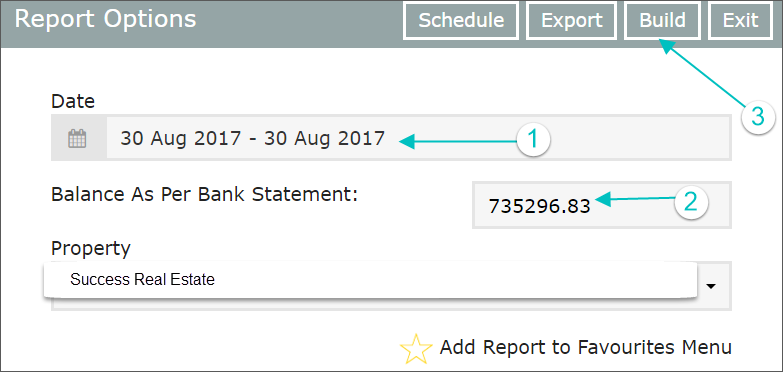
- Enter the current date
- Enter the bank statement balance
- Select Build
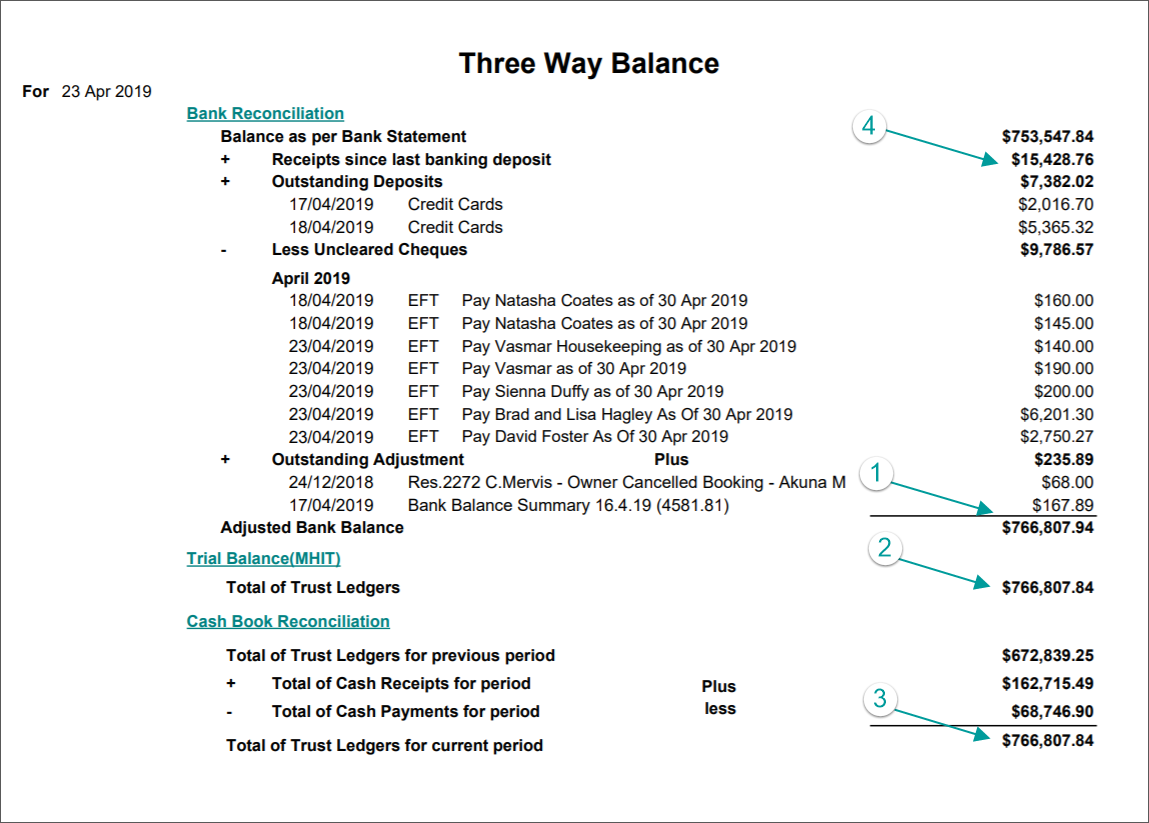
The three balances shown in 1-3 below need to match. If the two bottom balances ever differ, please get in touch with us as this is an adjustment that needs to be made by RMS
- The amount in number 4 on the illustration is the total of receipts taken since your last “Close of Day”
- To move this amount to the reconciliation section – you need to perform an End of Day Banking process as described below
End of Day - Banking Process: (Complete daily to close off ledgers)
All reporting for end of day banking is found under Owner Accounting
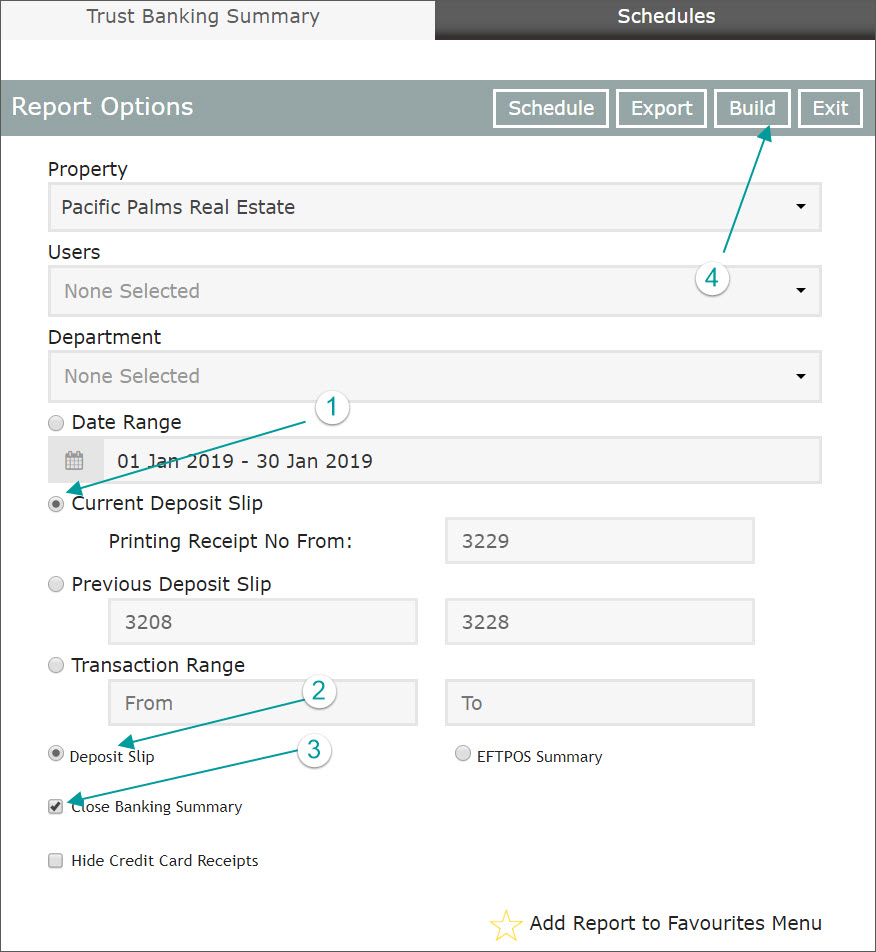
Owner Accounting + Reports + Trust Banking Summary + Tick Close Banking Summary + Build for the current day
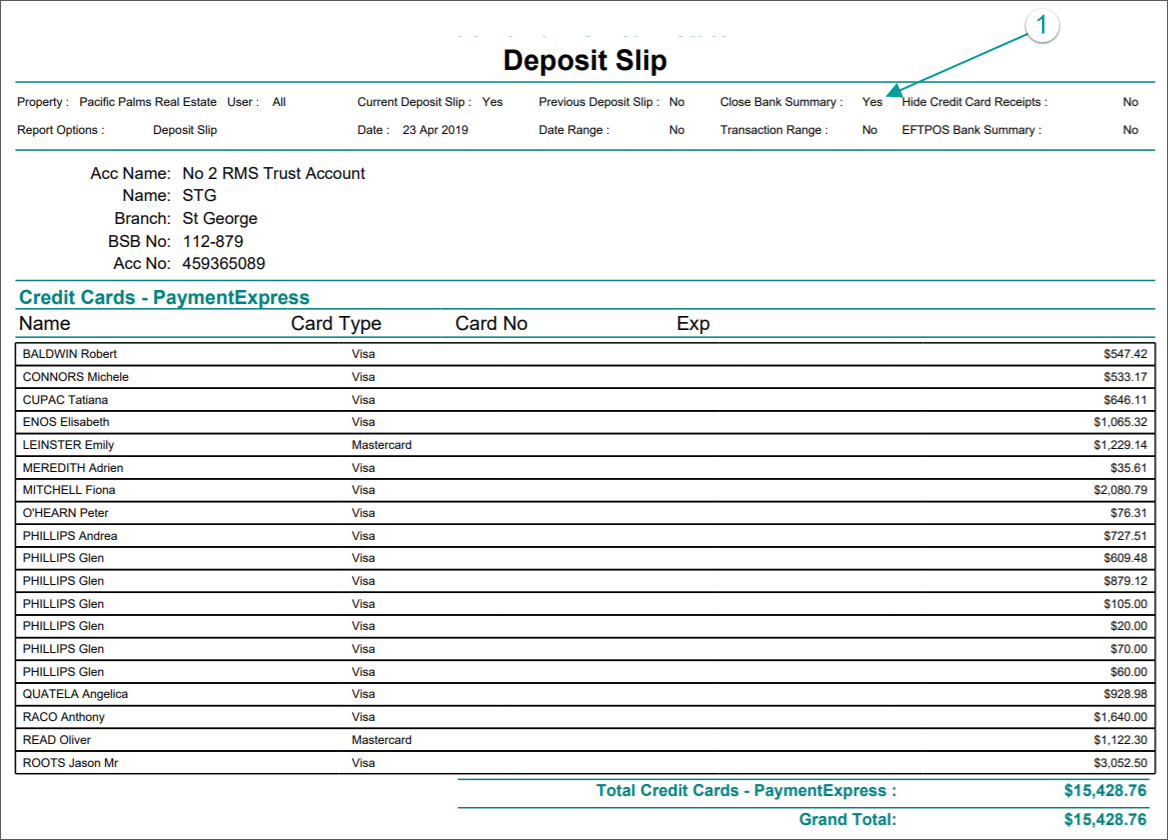
The resulting deposit slip:
Once this step is completed – the amount will be removed from the Three Way Balance report and will appear in the Deposit section of the Reconciliation ready to be presented.
To present this deposit
Owner Accounting + Reconciliation
Comments
0 comments
Please sign in to leave a comment.