
Create Bond Sundry Charge and Receipt Bond into the Trust Account
Bonds are receipted into the Extras account. These funds are kept in a separate area and will only be accessible when moved from the holding area back into the Extras account:
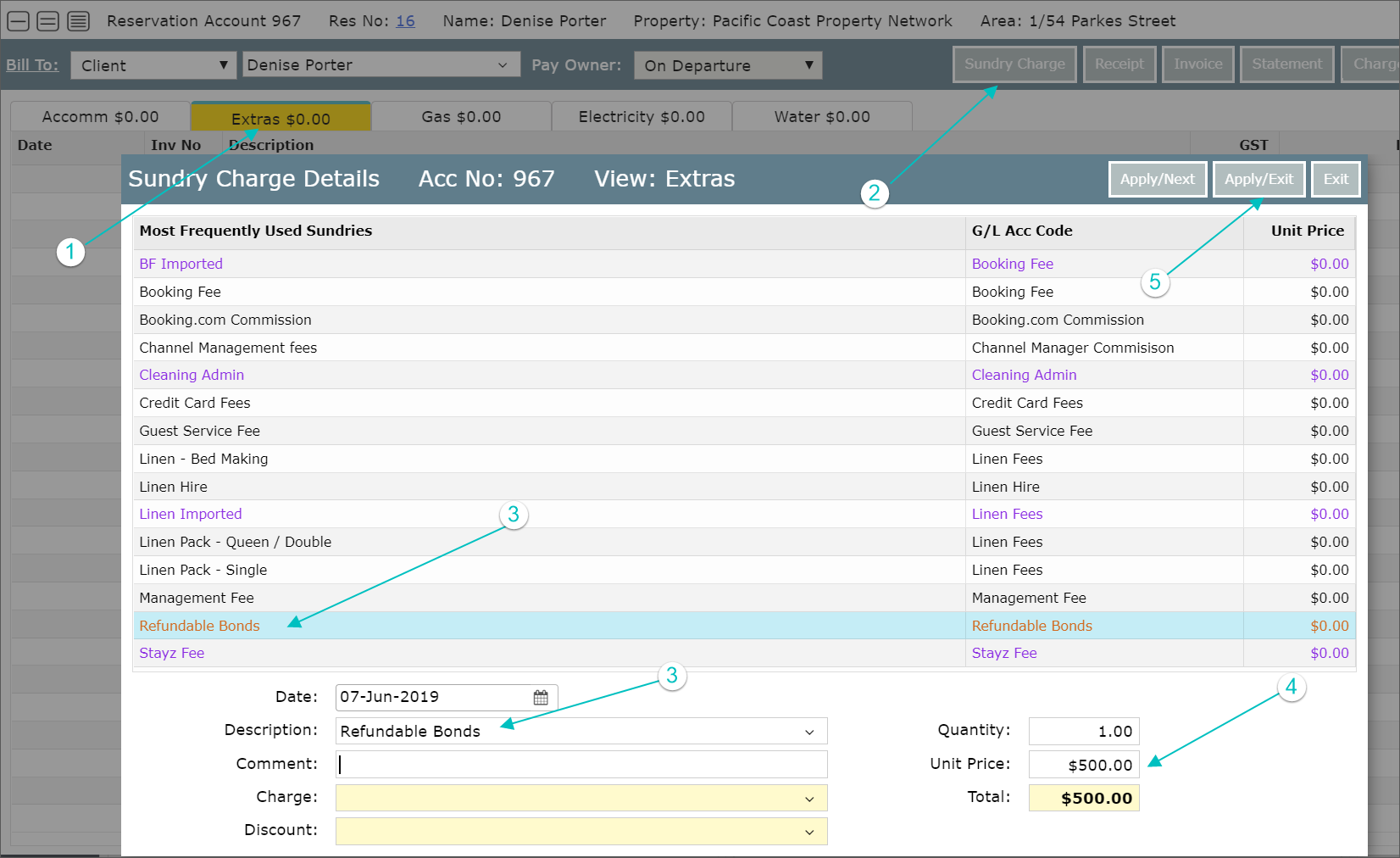
First, you need to create a Refundable Bond Sundry Charge:
- Select the Extras Account
- Select Sundry Charge
- Select Refundable Bond and Change the date (the system assumes the date of arrival)
- Enter the Amount
- Apply and Exit
Receipt the funds into the Extras Account
- Select Receipt
- Enter Payment Method, Amount and Comment
- Process
To refund a bond see Refunding a Bond