
Move bonds held in trust back to Extras account
To move these funds back into the Extras account to make it available for refund
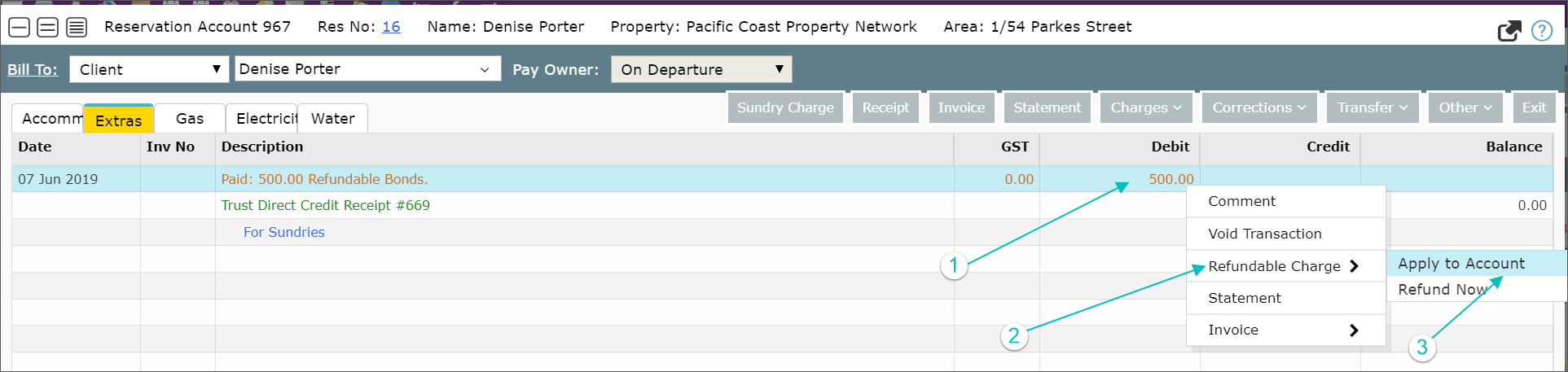
- Right click on the original refundable sundry amount
- Select Refundable Charge
- Select Apply to Account
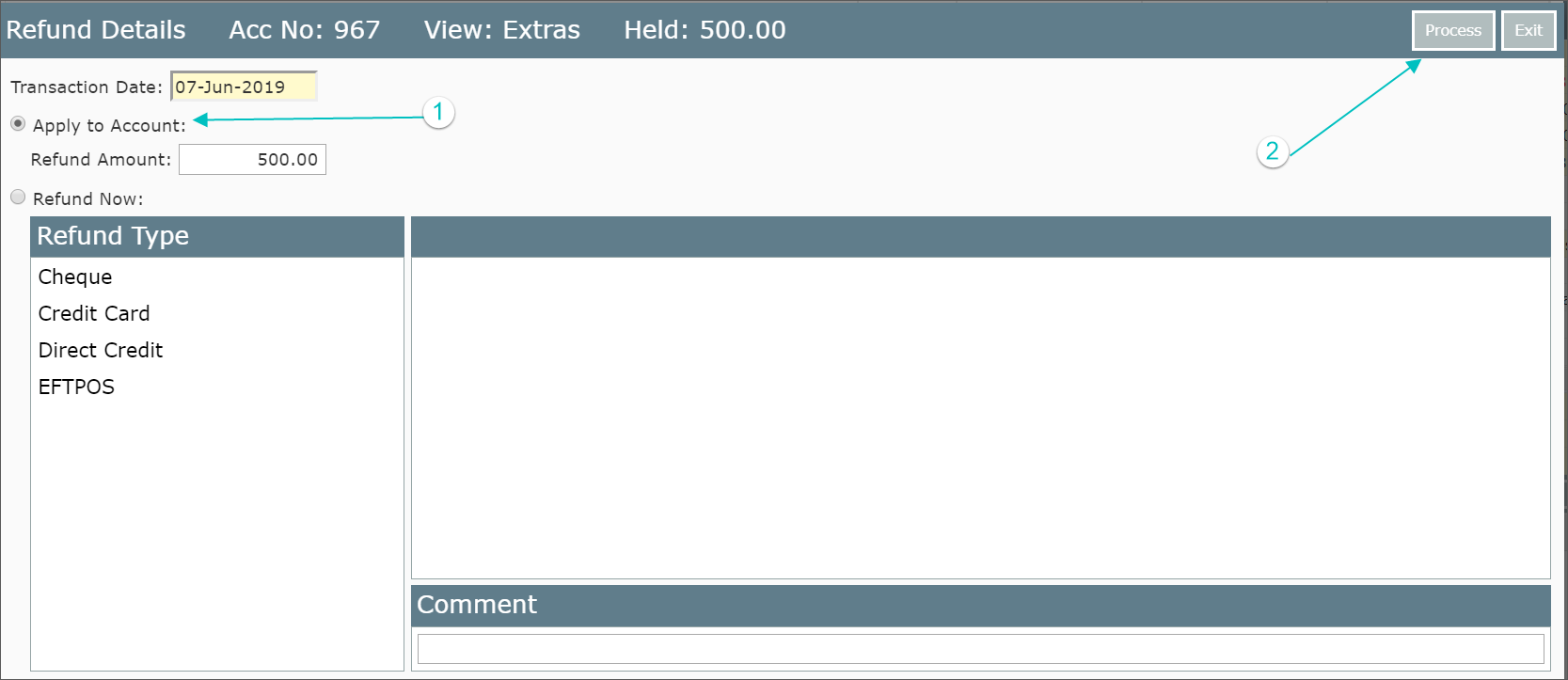
- Apply to Account
- Select Process
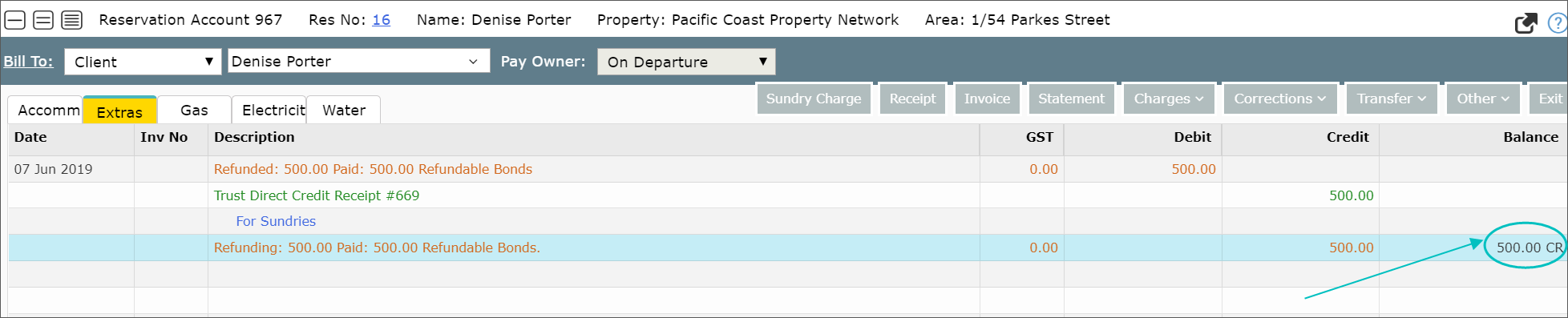
The funds are now back in the Extras account
Refund your agency for payments made on behalf of the owner:
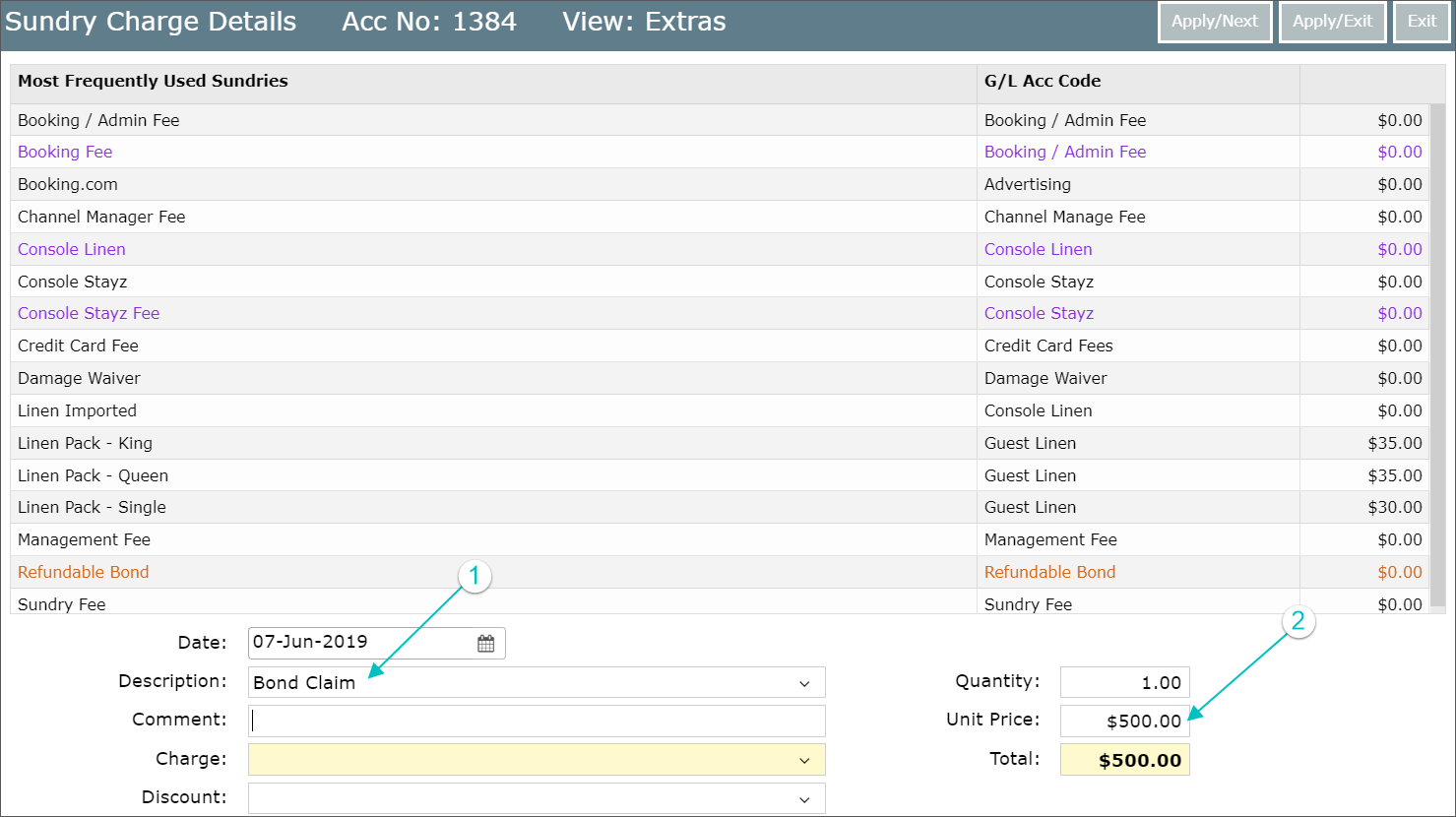
- Select Sundry Charge
- From the resulting screen, select Bond Claim from the Description Area (Please note that this function depends on the GL Acc Code and Sundry being set up in the system)
- Put in a Comment
- Fill in the amount you wish to refund to your agency under Unit Price + Apply/Exit
Move funds to the Owners Account to pay a Creditor (Third Party Client) for work undertaken or Reimburse Owner:
- Select Corrections + Refund
- From the resulting screen, select Direct Credit from Refund Type
- Enter the Amount and in Comment enter a description
- Close the reservation
- Open the Owner’s Account and on the Owner's Tab Receipt the refunded funds as a direct credit to this account
- You are now able to go to the Ad Hoc section and raise Sundry Charges for any Creditor (Third Party Client)